


We’re happy to share that Kling 2.6 Motion Control is available in ComfyUI! This feature enables precise control of character actions and expressions by applying custom motion from a reference video to your character image.
Model Highlights
This update introduces precise motion transfer, allowing you to apply actions and expressions from a reference video directly to a character image — with strong consistency and natural movement.
Key highlights:
Full-body motion transfer with accurate timing
Smooth handling of complex actions like dancing, skating, and martial arts
Detailed hand and finger motion capture
Prompt-based control over scene, clothing, and environment
Flexible orientation modes for character-facing or camera-driven motion
Examples
Getting Started
Update ComfyUI version to > 0.7.0 or go to Comfy Cloud
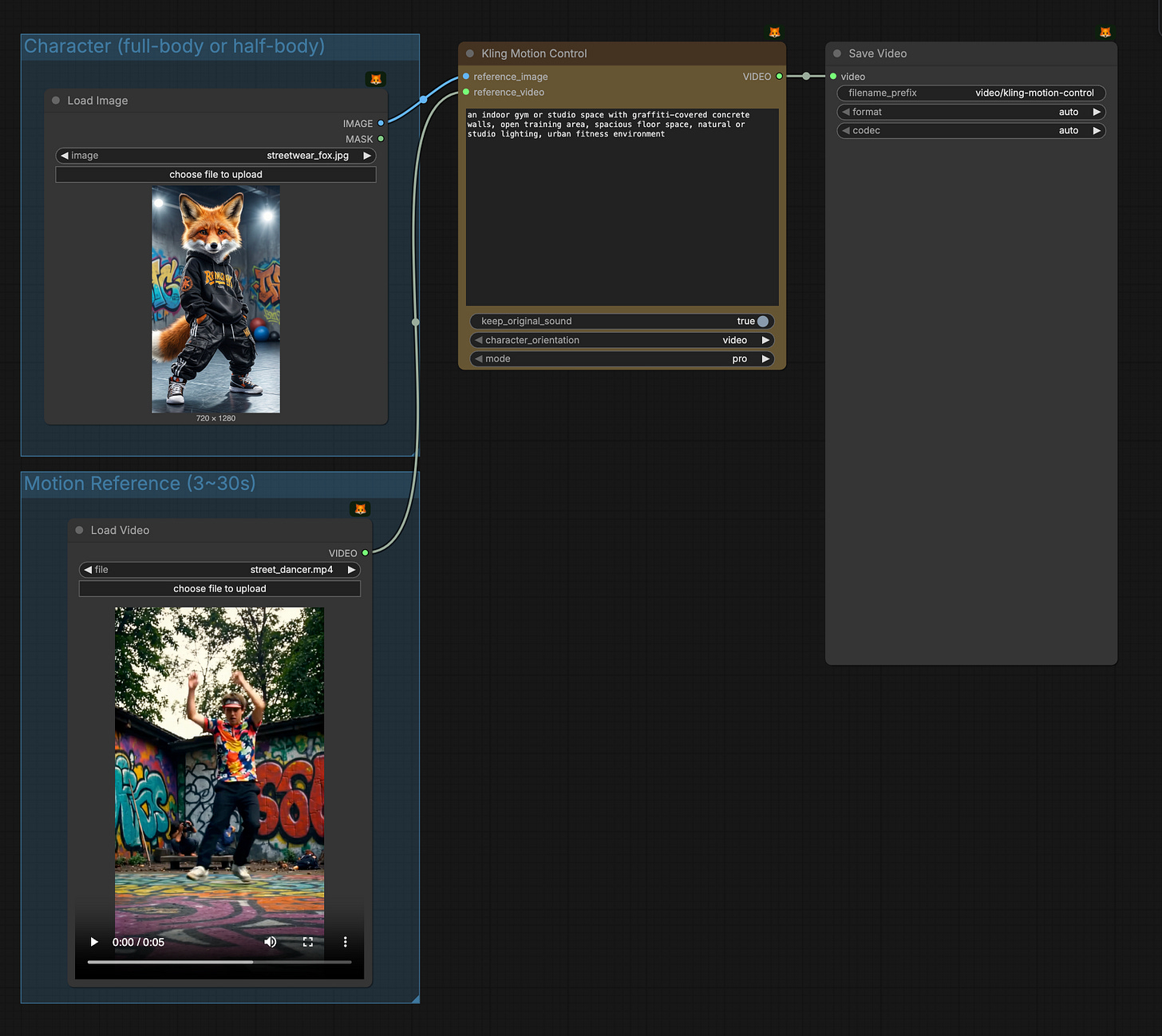
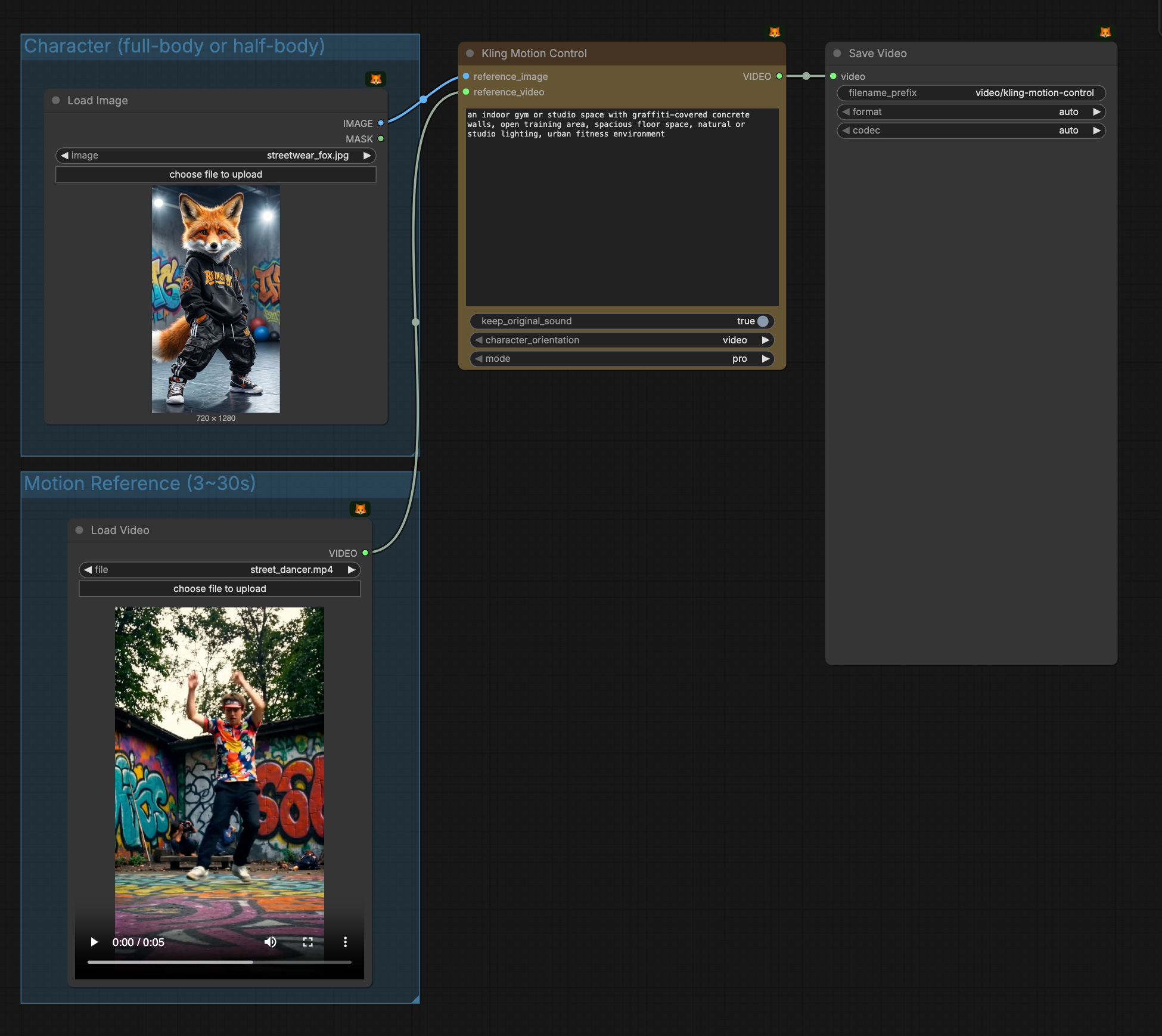
Search the “Kling Motion Control“ node
Prepare your own reference image and reference video, and run this example workflow
Best Practices
Match character proportions: Ensure full-body/half-body in the image matches the motion reference
Use quality motion references: Select videos with a wide range of motion, moderate speed, and minimal displacement
Provide adequate space: Ensure enough space in the image reference for the character to move freely
Keep character visible: Ensure the character’s entire body and head are clearly visible and unobstructed
Optimal motion: Use real human actions with steady, moderate movements; avoid overly fast motions or camera cuts
As always, enjoy creating!