


We’re excited to announce that the Kling 3.0 model family is now available inside ComfyUI via Partner Nodes, giving creators early access to one of the most advanced multi-modal generation systems.
This release includes:
You can now integrate Kling’s newest video, image, audio-visual, and narrative generation capabilities directly into your existing node-based workflows.
1. Multi-Shot with Duration Control in One Generation
The new Multi-Shot capability understands scene coverage directly from your prompt and automatically plans: camera angles, shot composition, dialogue shot-reverse-shot, and cross-cutting and voice-over structures.
Instead of manual editing and cutting, creators can now tell the model how many shots they want in one generation and explicitly assign length to each shot.
Prompt:
Shot 1: Fast-paced tracking shot of the motorcycle in a wheelie and the horse galloping, subtle dust kicking up
Shot 2: Low-angle shot of the horse's hooves and the bike wheel
Shot 3: Over-the-shoulder shot of the subject riding the motorcycle
Shot 4: Extreme slow motion of the horse mid jump
2. Image-to-Video + Locked Subject Consistency
Kling 3.0 dramatically improves reference-driven generation:
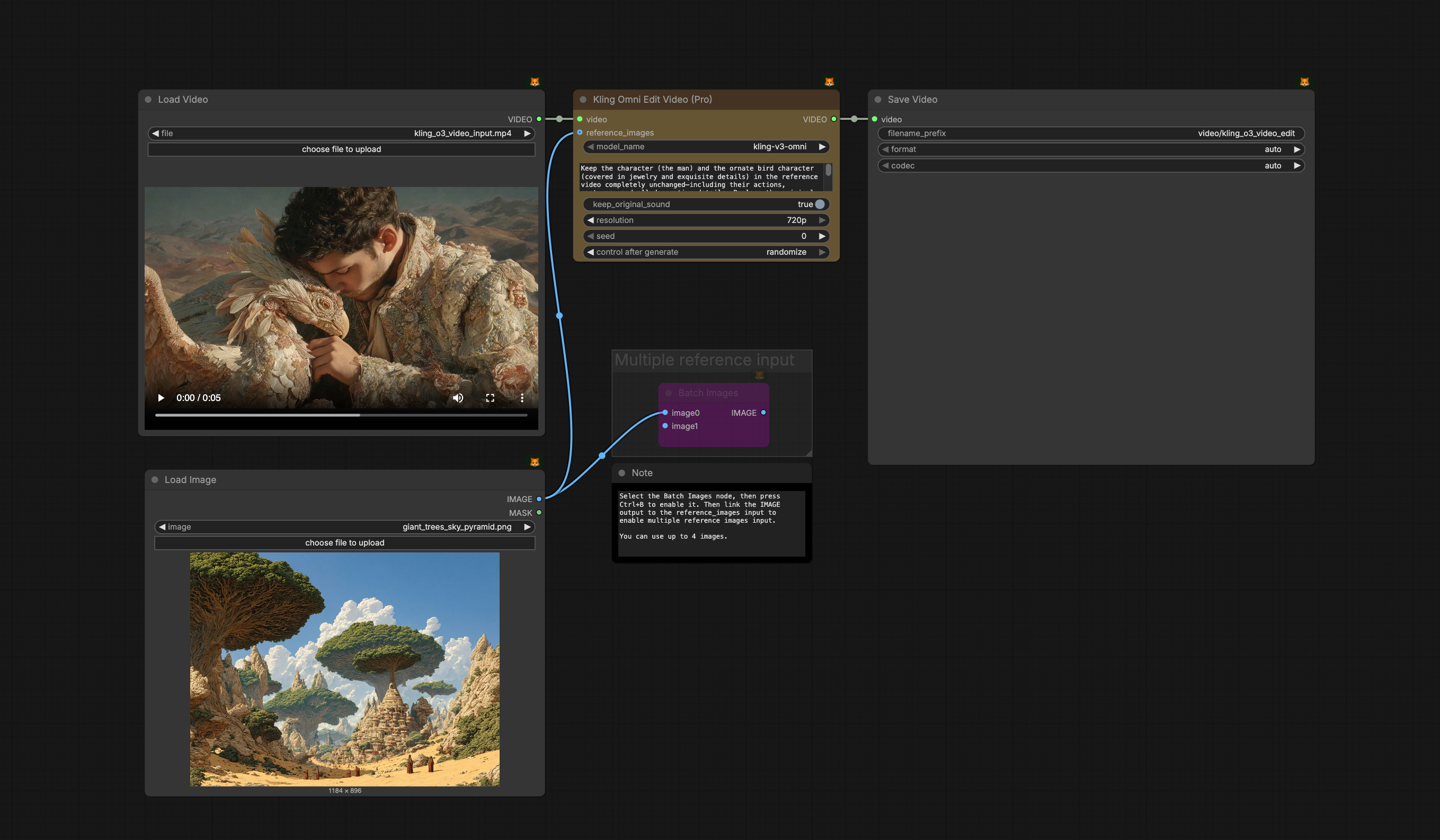
supports multi-image and video references as scene elements
builds stable identities for characters, products, and environments
maintains consistency across camera motion and scene evolution
This enables production-grade continuity for storytelling, branding, and character-based workflows inside ComfyUI.
Prompt:
Shot 1: Dolly in on the silhouetted subject from @image
Shot 2: Arc shot from behind @character to a front view, he is tense, visible chest raises as he takes deep breaths, slow zoom towards his face
Shot 3: @character holds the handheld @device, it is emitting a subtle glow, and he presses the button
Shot 4: Shot of the menacing monolith tower from @image , the monolith explodes, and blasts fire into the sky.
3. Native Audio with Character Awareness & Multilingual Support
Audio generation is now deeply integrated with scene understanding:
precise control over which character is speaking in multi-character scenes
support for Chinese, English, Japanese, Korean, and Spanish
authentic dialects, accents, and multilingual code-switching
natural lip sync and facial expression alignment
Prompt: The woman (softly in a concerned tone), "Are you sure that's legal?" The man responds, he has a sly smile, (in a cool and confident deep southern voice), "These undisclosed paid ads will never see the light of day." He closes the trunk, pitch black.
4. Native-Level Text Rendering in Video
Kling 3.0 can now reliably produce clear, structured on-screen text:
preserves original signage and captions
generates new layout-aware typography
improves realism for ads, UI scenes, and branded content
A major step toward usable commercial video generation.
Beneath the surface of a crystal-clear stream, with a haunting solo cello and ambient water sounds in the background, golden afternoon light refracts through the rippling water onto smooth river stones. Slow zoom into the ring, displaying the text "Comfy" in cursive in the ring’s interior. Voiceover (deep, reverent male voice, aged British accent, slow pace): One node to rule them all.
Get Started in ComfyUI
Update ComfyUI to the latest or visit Comfy Cloud
Go to Template Library, search for
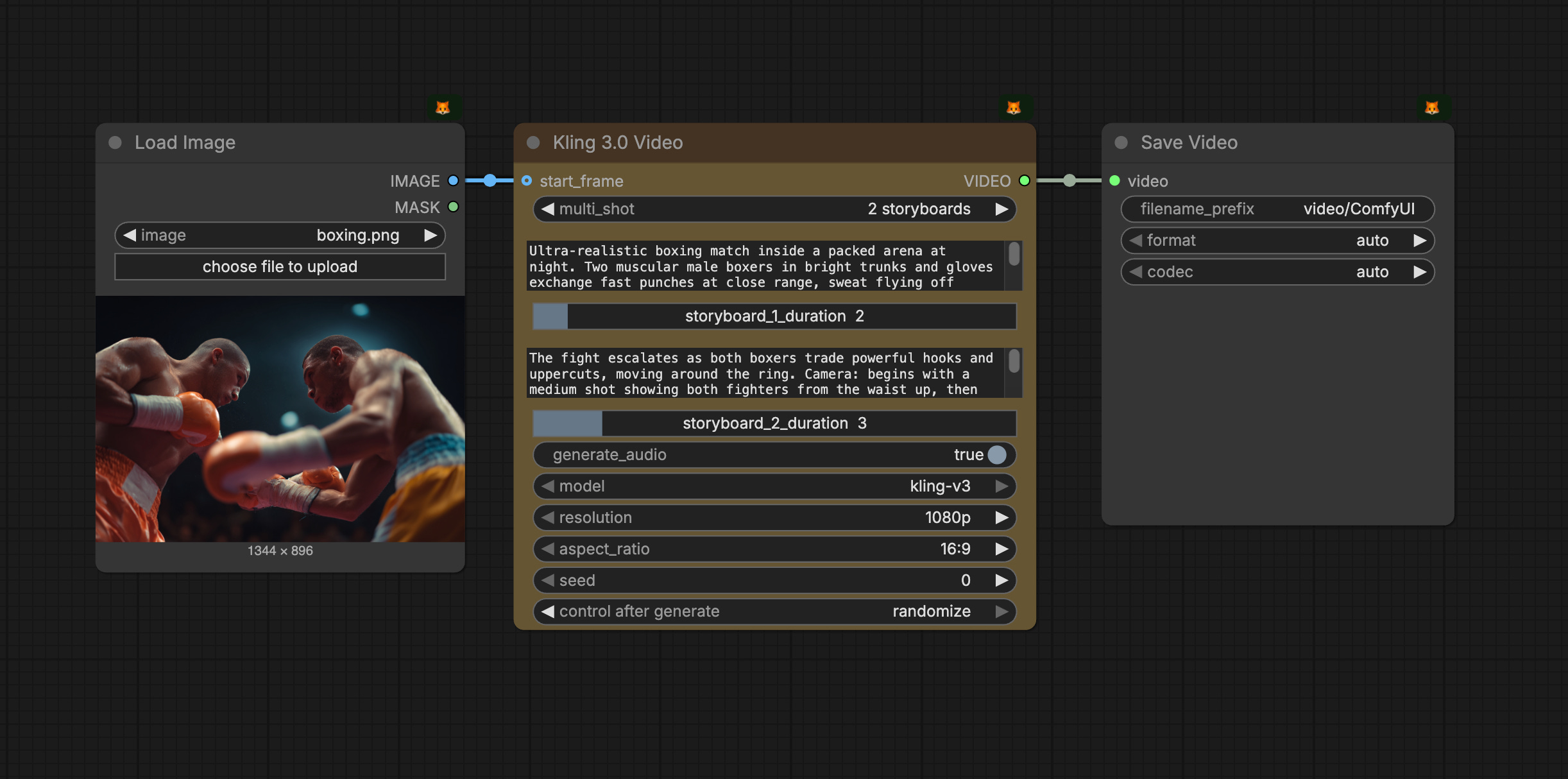
Kling 3.0 Videoor other Kling Omni Video model workflows/nodes.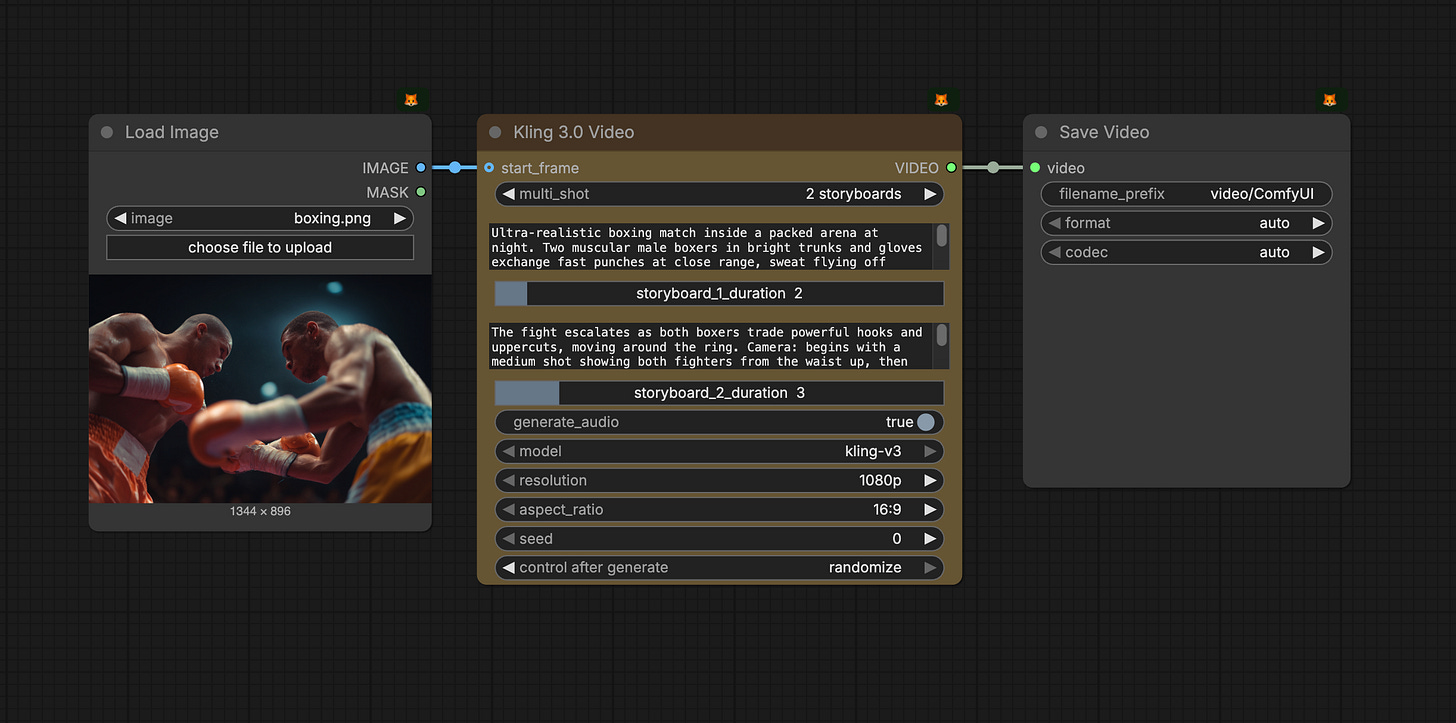
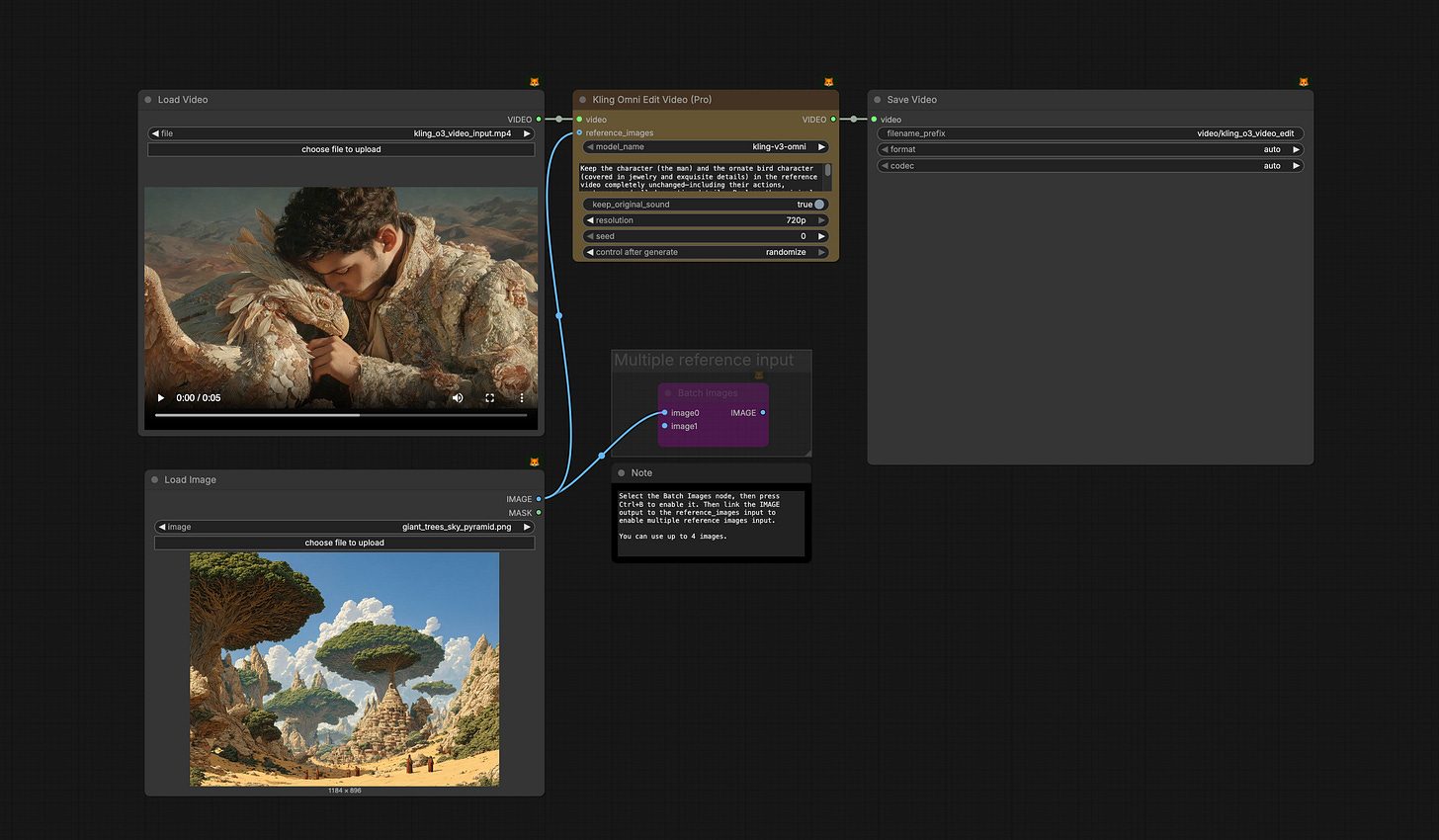
Choose the best model/workflow for your task and start the run!
As always, enjoy creating!