

We would like to share the latest ComfyUI Manager update! With recent updates, ComfyUI-Manager is officially integrated into ComfyUI. This release brings powerful new features designed to enhance your workflow and make node management more efficient.
What’s new in ComfyUI-manager?
Alongside the legacy Manager, we’ve introduced a new ComfyUI-Manager UI. This update is focused on faster discovery, safer installs, and smoother extension management.
Pre-Installation Preview: Preview detailed node information before installation. You can even preview each node in the node pack.
Batch Installation: Install all missing nodes at once, no more one-by-one installs.
Conflict Detection: Detect dependency conflicts between custom nodes early, with clear visual indicators.
Improved security: Nodes are now scanned, and malicious nodes are banned. Security warnings will be surfaced to users.
Enhanced Search: You can now search a custom node by pack name or even the single node name
Full Localization Support: A refreshed UI experience with complete localization for international users.
How to enable the new ComfyUI-Manager UI?
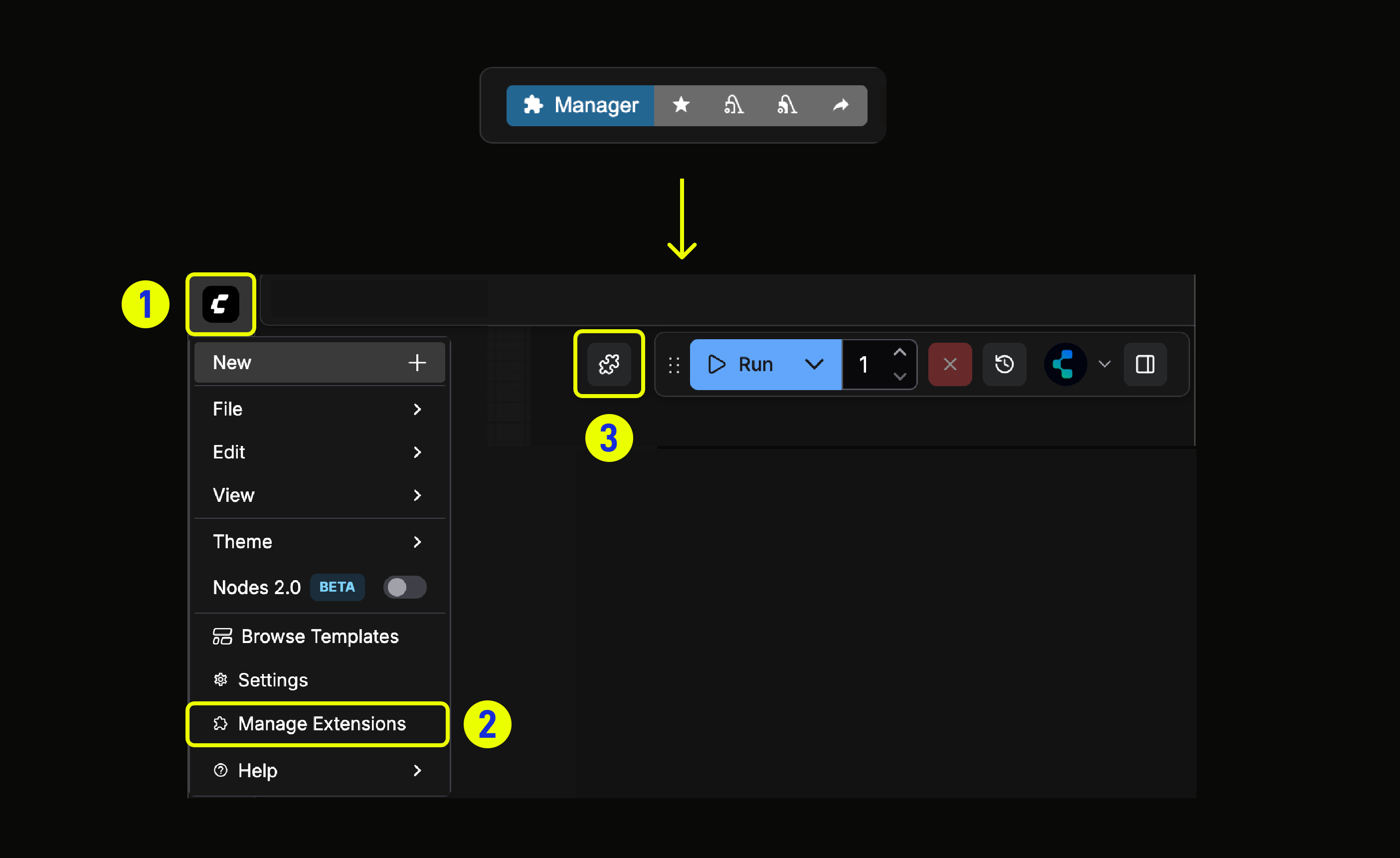
For Desktop users: The new ComfyUI-Manager UI is enabled by default. You can click the new Plugin icon to access it, or visit Menu (or Help) -> Manage Extensions to access it.

For other versions: If you want to try the new UI, you can install the ComfyUI-Manager pip version manually.
Update your ComfyUI to the latest
Activate the ComfyUI environment
Install the ComfyUI-Manager pip package by running the following command:
# In ComfyUI folder
pip install -r manager_requirements.txt
For the Portable users, you can create an install_manager.bat file in the portable root directory with the following content:
.\python_embeded\python.exe -m pip install -r ComfyUI\manager_requirements.txt
pause
Then run it once to install the pip version Manager.
Launch ComfyUI with the following command:
python main.py --enable-managerFor the portable users, you can duplicate the
run_**.batfile and add --enable-manager to the launch arguments, such as:.\python_embeded\python.exe -s ComfyUI\main.py --windows-standalone-build --enable-manager pause
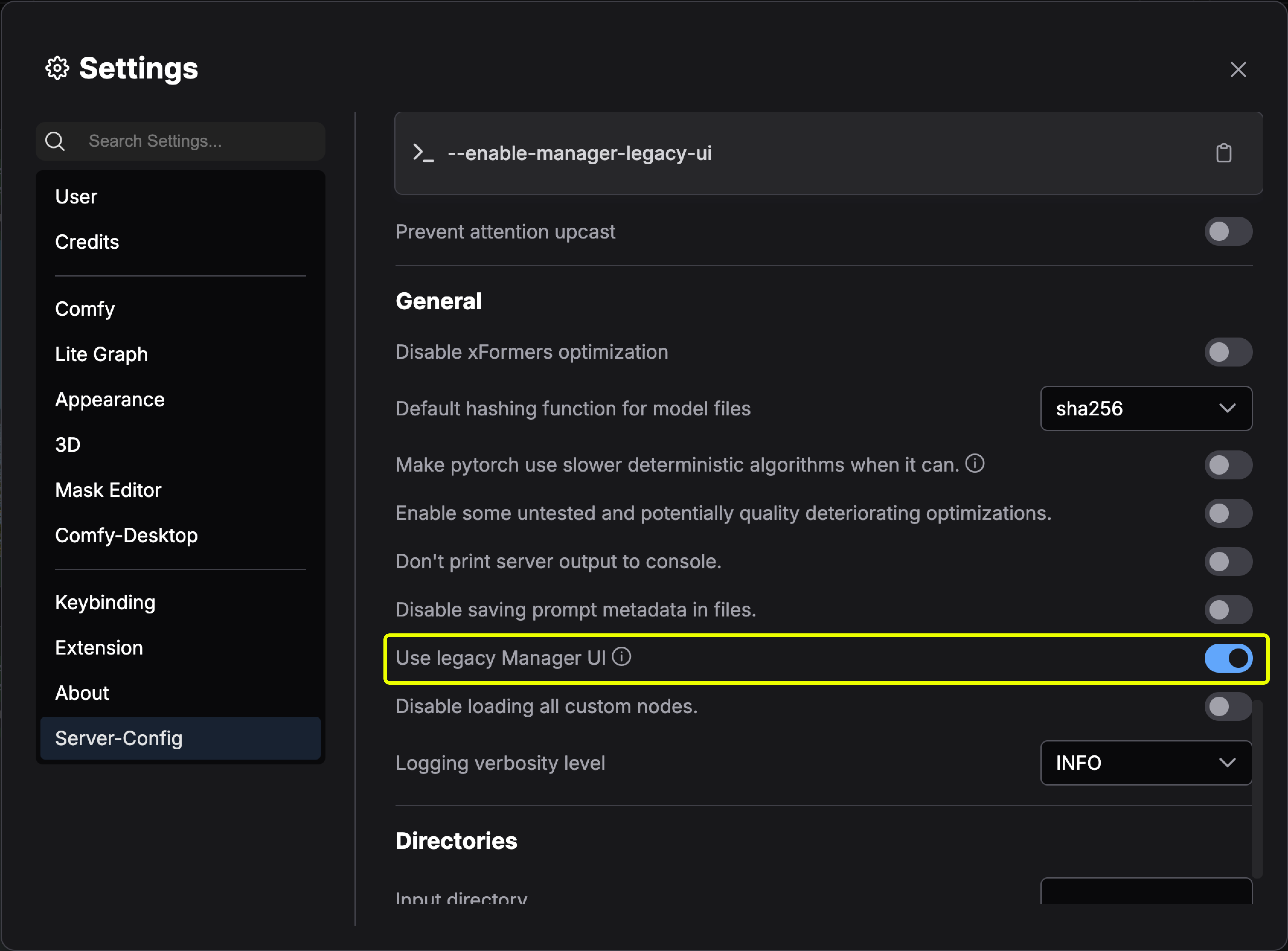
How to switch back to the legacy Manager UI
ComfyUI Manager pip version supports both legacy and new UI.
For Desktop users, go to Server-Config → Use legacy Manager UI to switch back to legacy Manager UI.
FAQs
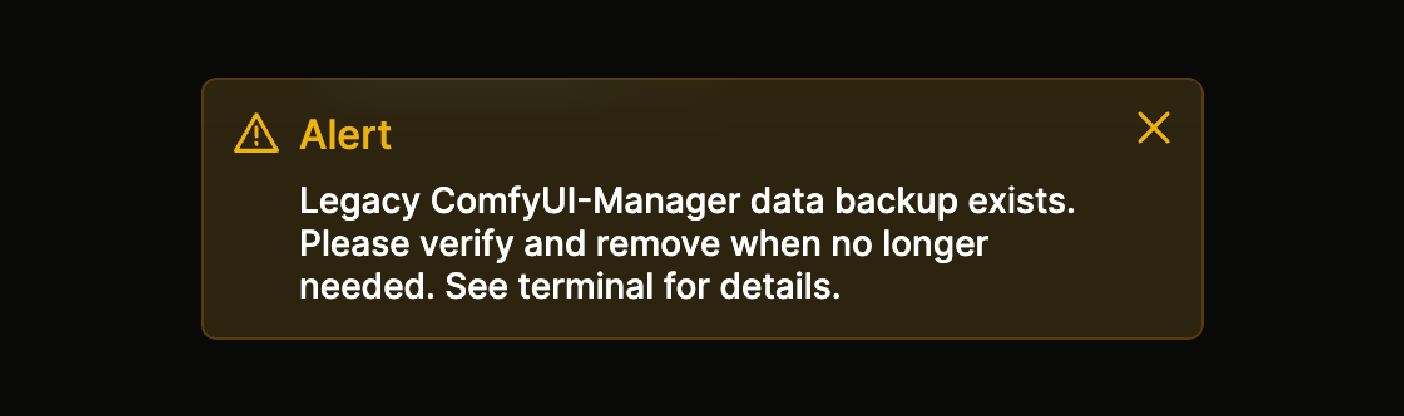
Data migration warning
If you see:
Legacy ComfyUI-Manager data backup exists. See terminal for details.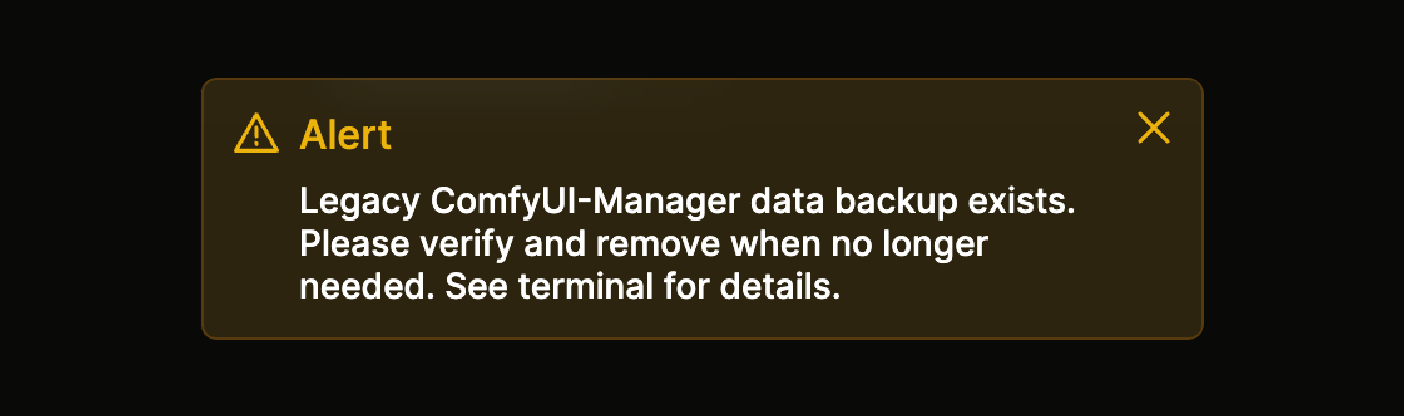
This happens because (since ComfyUI v0.3.76) the Manager data directory was migrated from:
ComfyUI/user/default/ComfyUI-Manager/
to the protected system user directory:
ComfyUI/user/__manager/
After migration, ComfyUI creates a backup at:
/path/to/ComfyUI/user/__manager/.legacy-manager-backup
As long as that backup folder exists, the warning will keep showing.
In older ComfyUI versions, the ComfyUI/user/default/ path was unprotected and accessible via web APIs; the new path is to avoid malicious actors.Please verify and remove your backup according to this document
Can’t find the Manager icon after enabling the new Manager
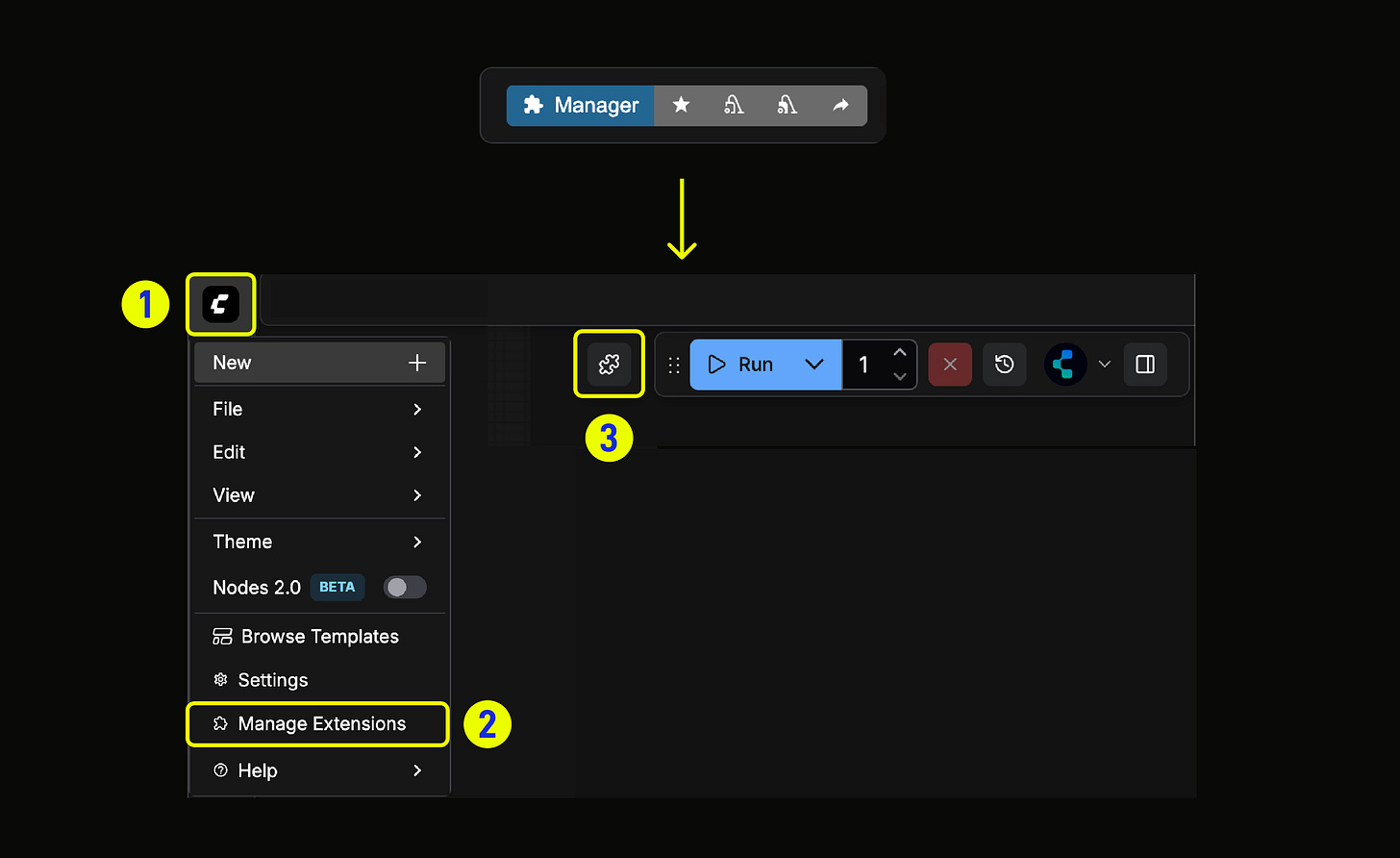
After installing the ComfyUI-Manager pip version, you can access the new Manager via the new Plugin icon or Menu (or Help) -> Manage Extensions menu.
How can I change the live preview method when using the new UI?
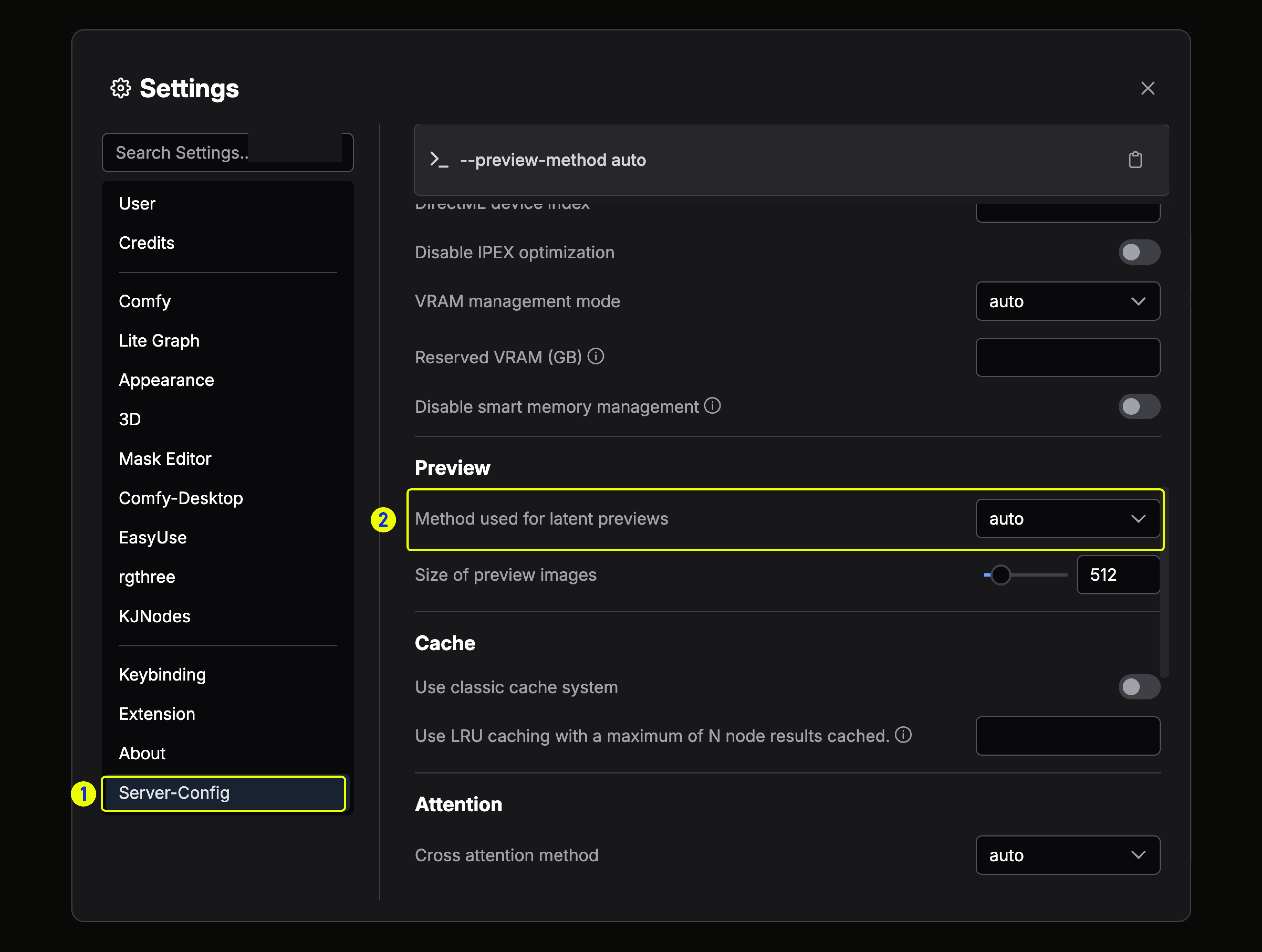
For Desktop users, the live preview method is under Settings →Preview → Method used for latent preview
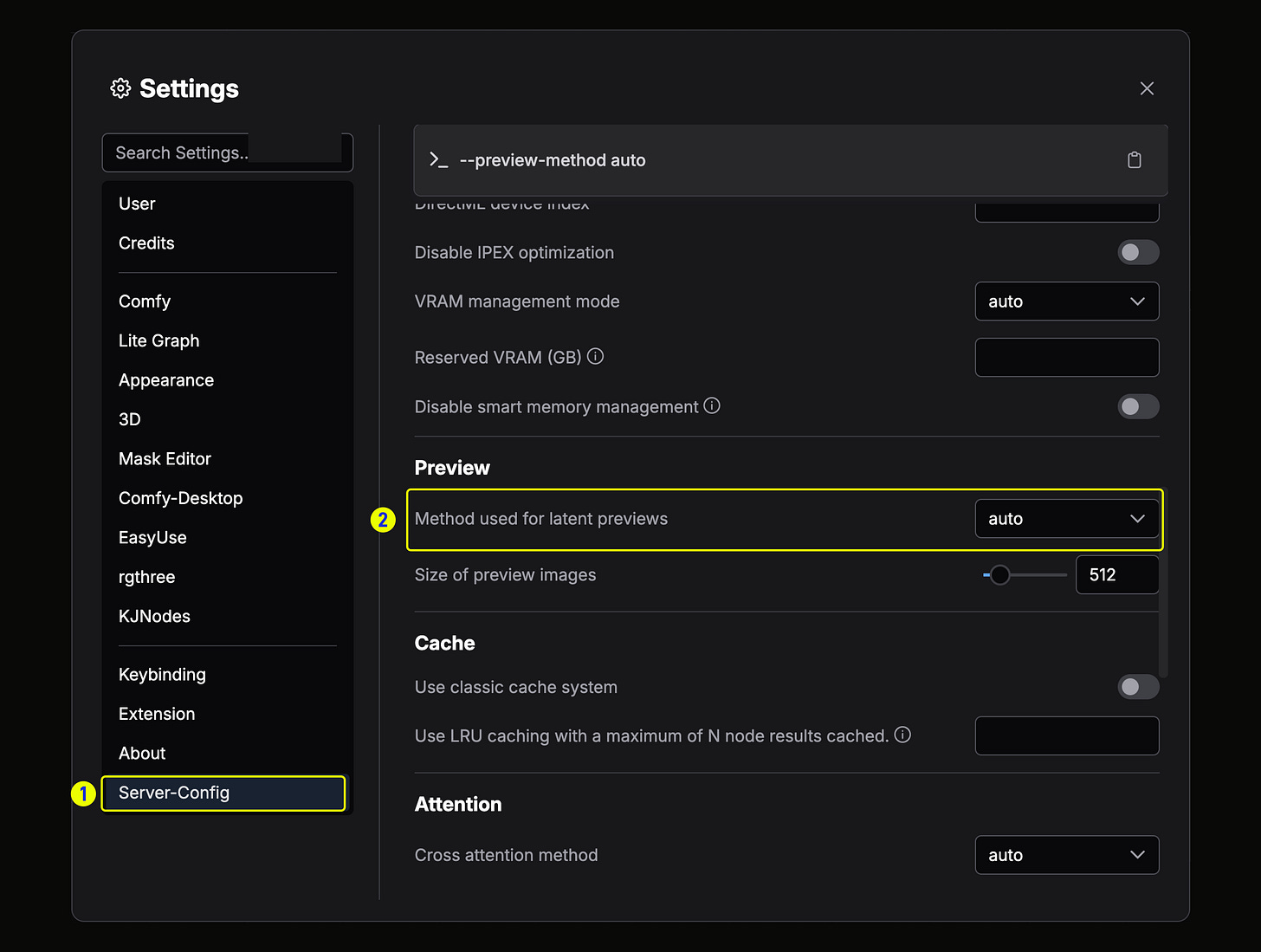
For other versions, please add `—preview-method` to launch arguments
# Enable previews with auto selection
python main.py --enable-manager --preview-method auto

# Use high-quality TAESD previews (requires model files)
python main.py --enable-manager --preview-method taesd

# Disable previews for faster execution
python main.py --enable-manager --preview-method none

# Use fast latent2rgb previews
python main.py --enable-manager --preview-method latent2rgb
Do I need to remove the ComfyUI/custom_nodes/ComfyUI-Manager after installing the pip version?
It’s optional; the pip version won’t conflict with the custom node version. If everything works as expected and you no longer need the custom node version, you can remove it. If you prefer the legacy one, just keep it as it is.
Why can’t I find the new ComfyUI-Manager UI through the `menu/help → Manage Extensions.`
Please ensure you have installed the pip version as described in the guide above. If you are not using Desktop, please make sure you have launched ComfyUI with the --enable-manager argument.
Give the new ComfyUI-Manager a try and tell us what you think. Leave your feedback here to help us make extension management faster, safer, and more delightful for everyone.
This look so nice!
Love the UI and info it gives on the side with compatibility warnings. Perhaps highlighting the same node "image comparer" on the right from what you're currently searching for would be interesting.
Happy to see my suggestion to preview nodes lives on in this version as well!
Any estimation date of when the "Manager" goes into the portable version natively? I don't want to mess around with Pip here.