


Nano Banana 2 is now available in ComfyUI through Partner Nodes!
If you’ve used Nano Banana or Nano Banana Pro before, this release fundamentally changes the default choice for most creators.
Upgraded Highlights and Examples
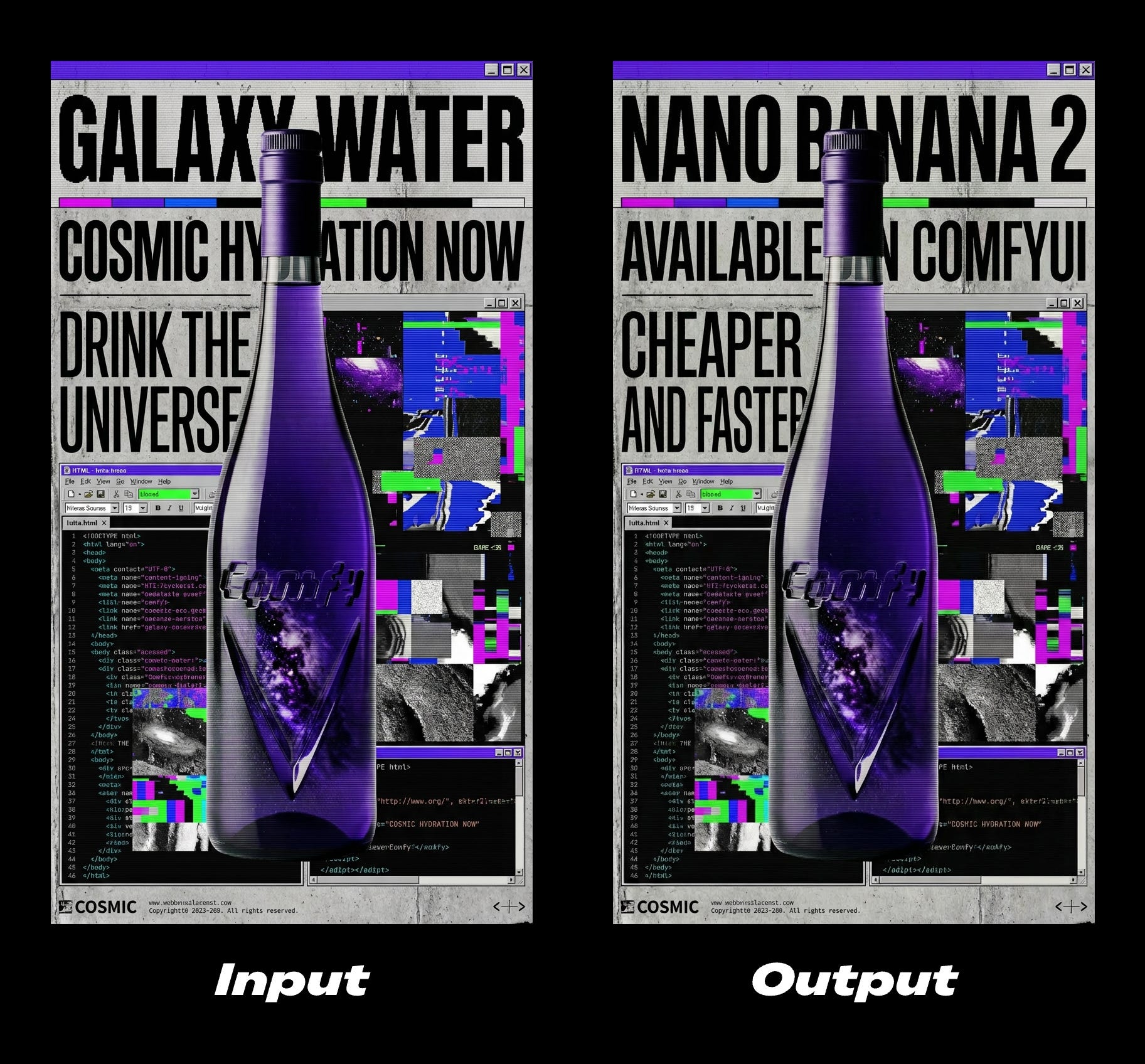
Pro-level quality at Flash speed
Nano Banana 2 closes the gap between Nano Banana and Nano Banana Pro. You get richer textures, sharper detail, stronger lighting, and noticeably better prompt adherence — without the latency tradeoff.
For creators, this means faster iteration without sacrificing output quality. You no longer need to switch models mid-workflow just to get something production-ready.
Search-grounded world knowledge
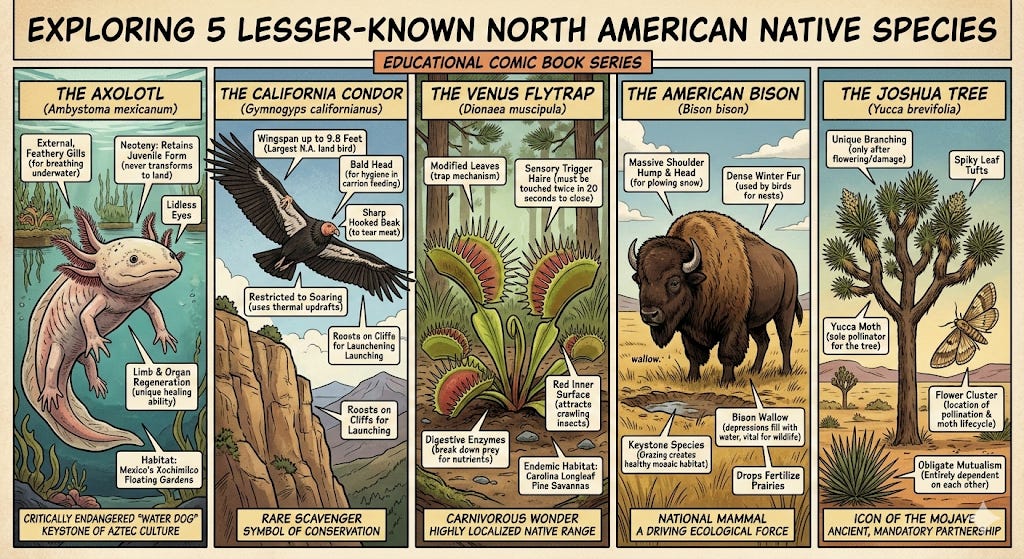
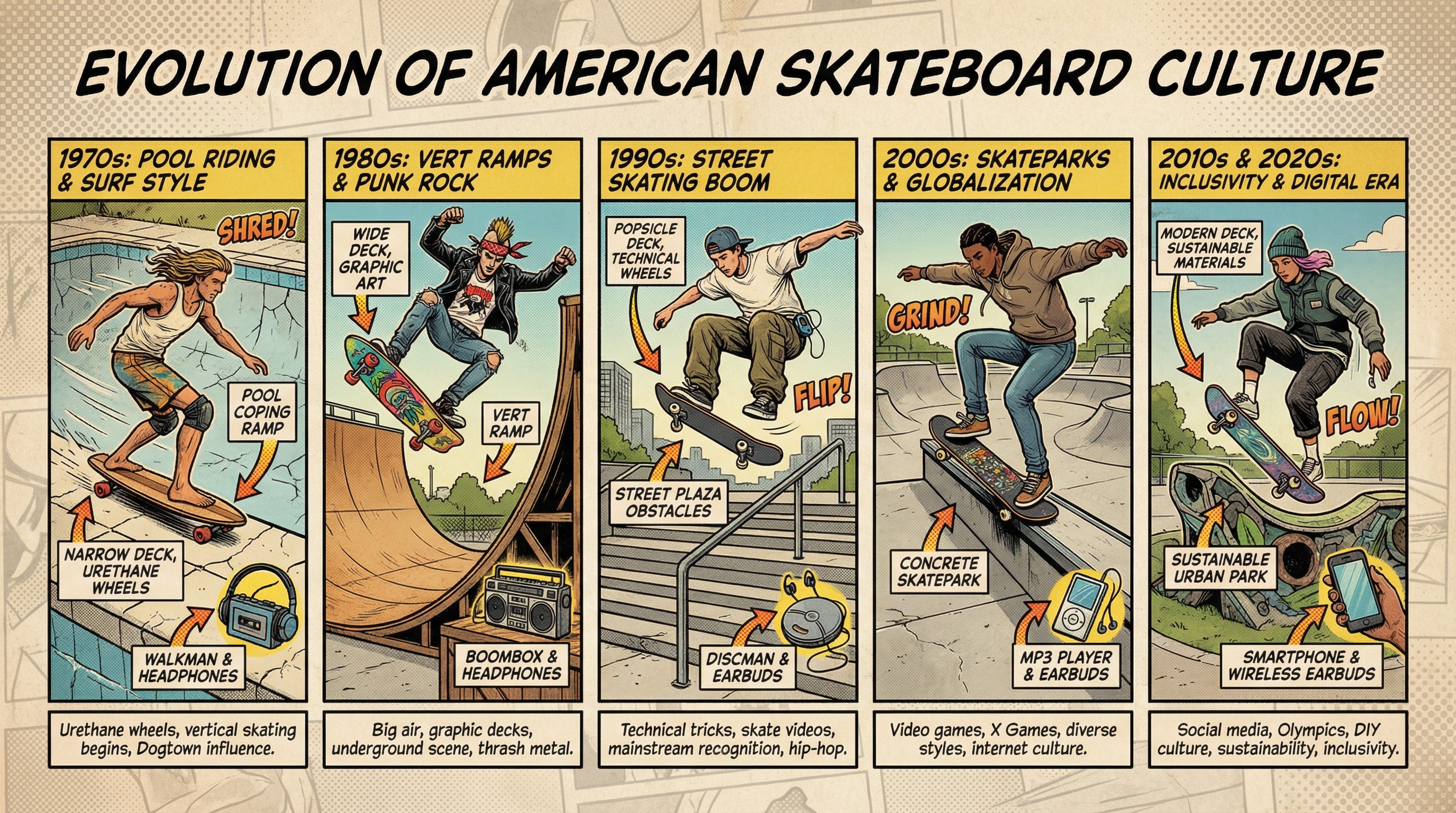
When your prompt references lesser-known landmarks, niche objects, or specific real-world details, the model can intelligently trigger Google Image Search grounding to improve factual accuracy and reduce hallucination.
It stays efficient for common subjects, but anchors results when precision matters — especially useful for travel visuals, architectural references, product concepts, or educational graphics.
Subject consistency
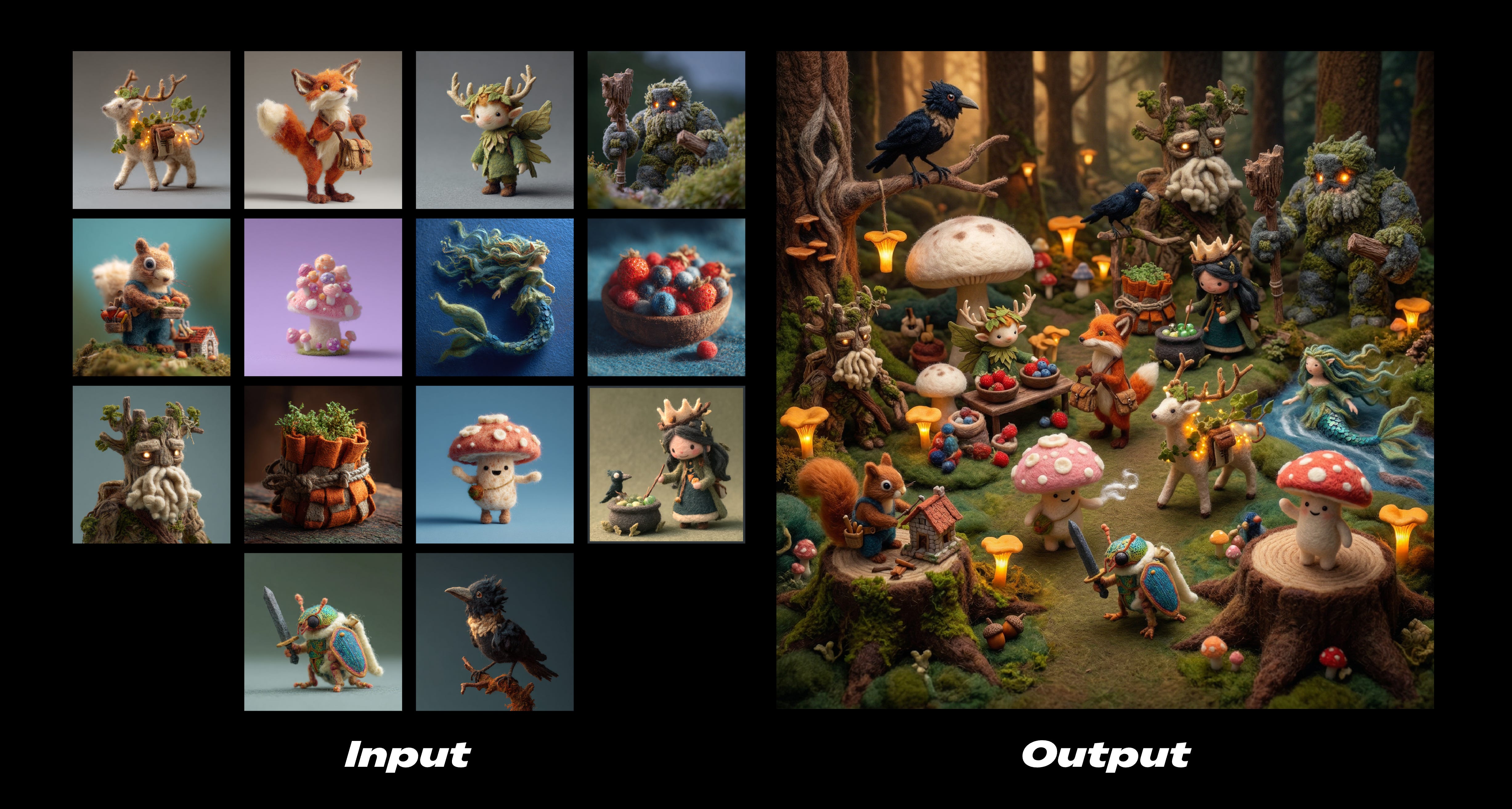
If you’re storyboarding or building narrative sequences, subject consistency is stronger — maintain character resemblance of up to five characters and the fidelity of up to 14 objects in a single workflow, allowing you to storyboard and build narratives without altering the appearance of your inputs.
Configurable thinking levels
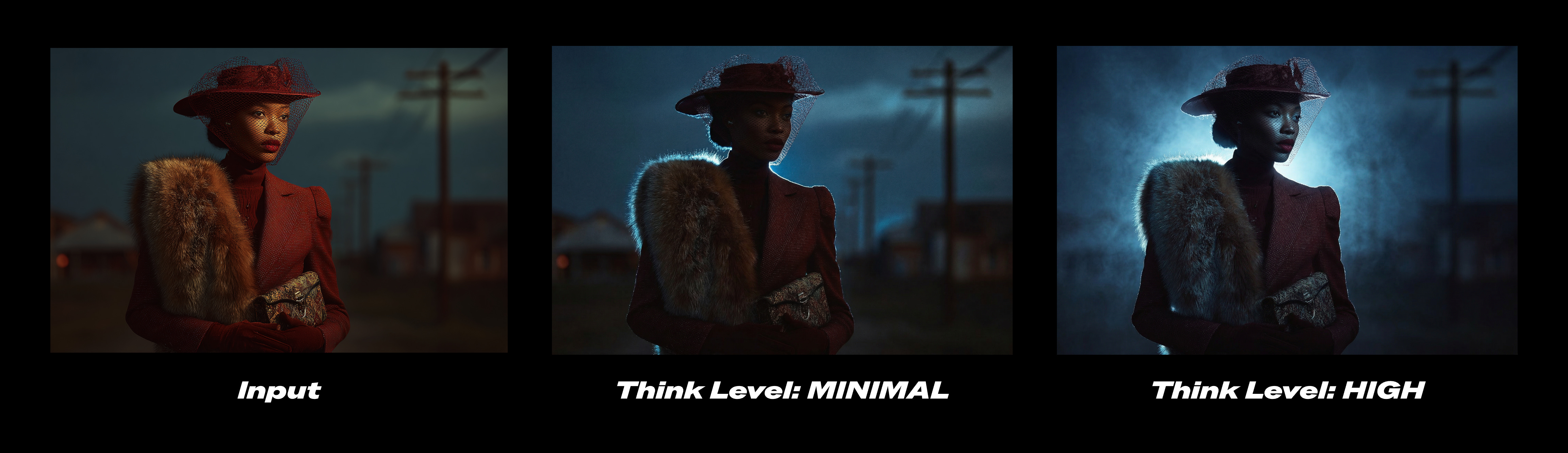
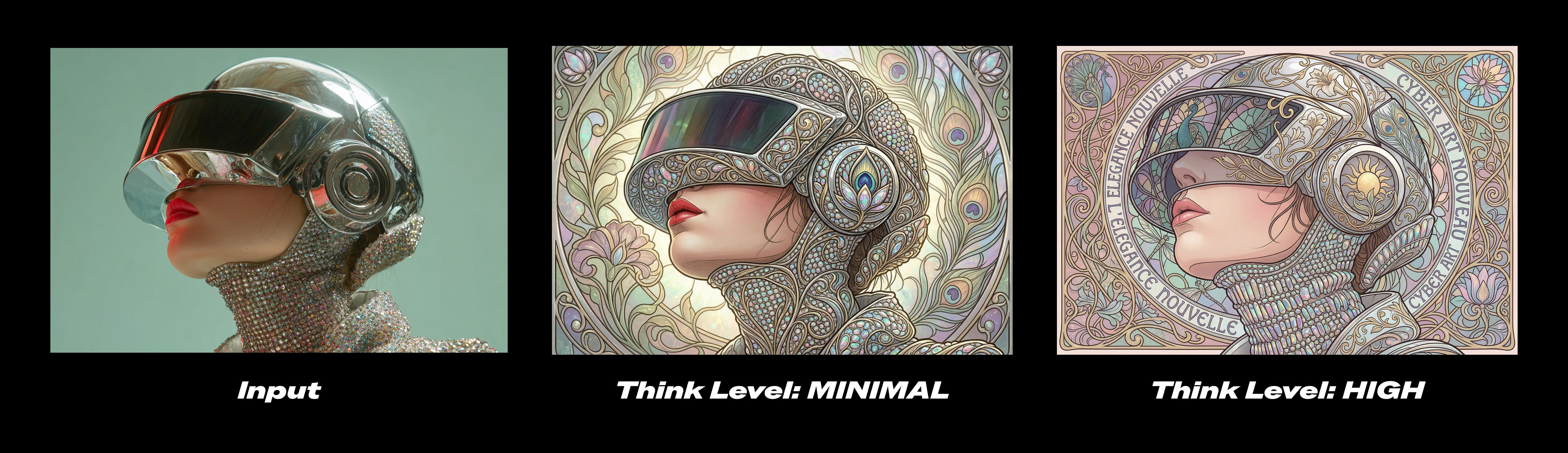
You now control how much the model “thinks” before generating.
Minimal for fast exploration
High/Dynamic for complex layouts, multi-object scenes, or detailed instructions
In ComfyUI workflows, this becomes a practical control: speed when experimenting, deeper reasoning when refining.
Precision text rendering and translation
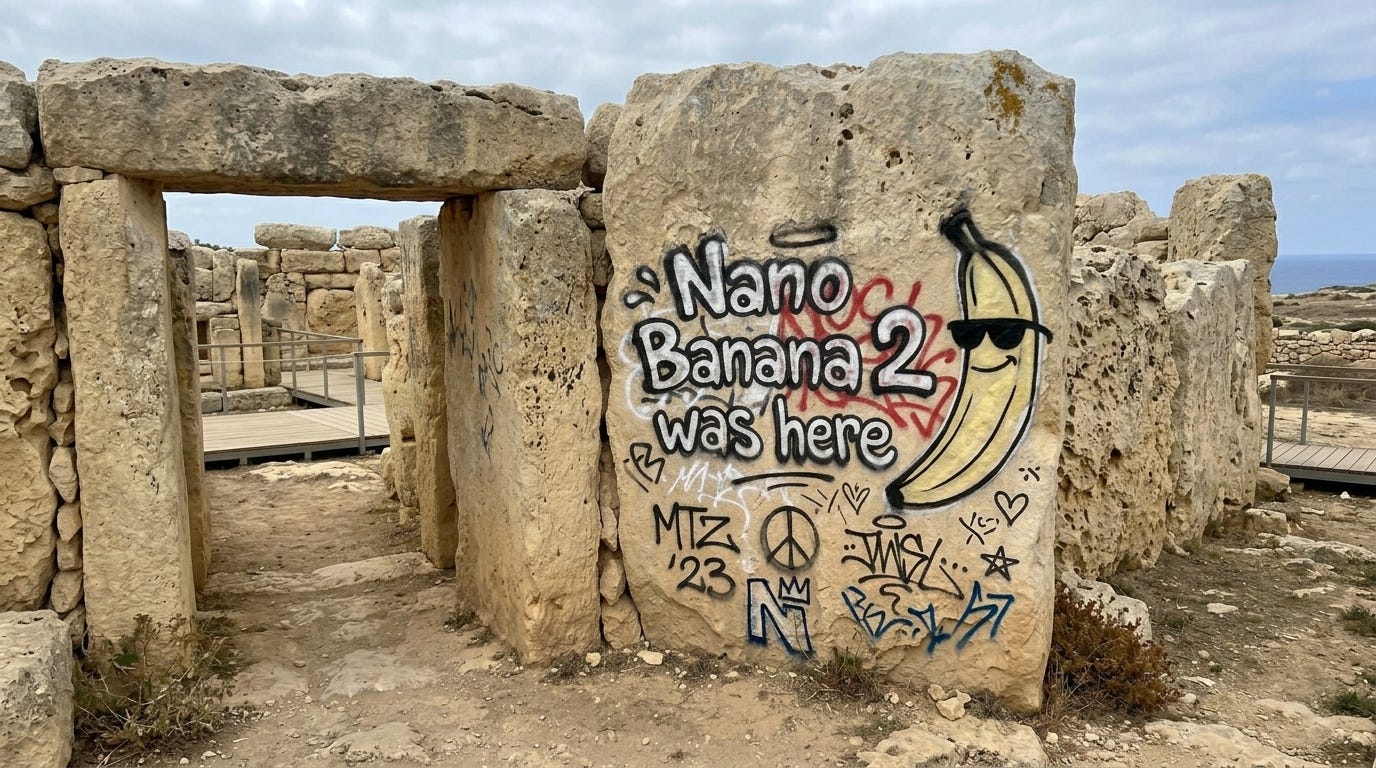
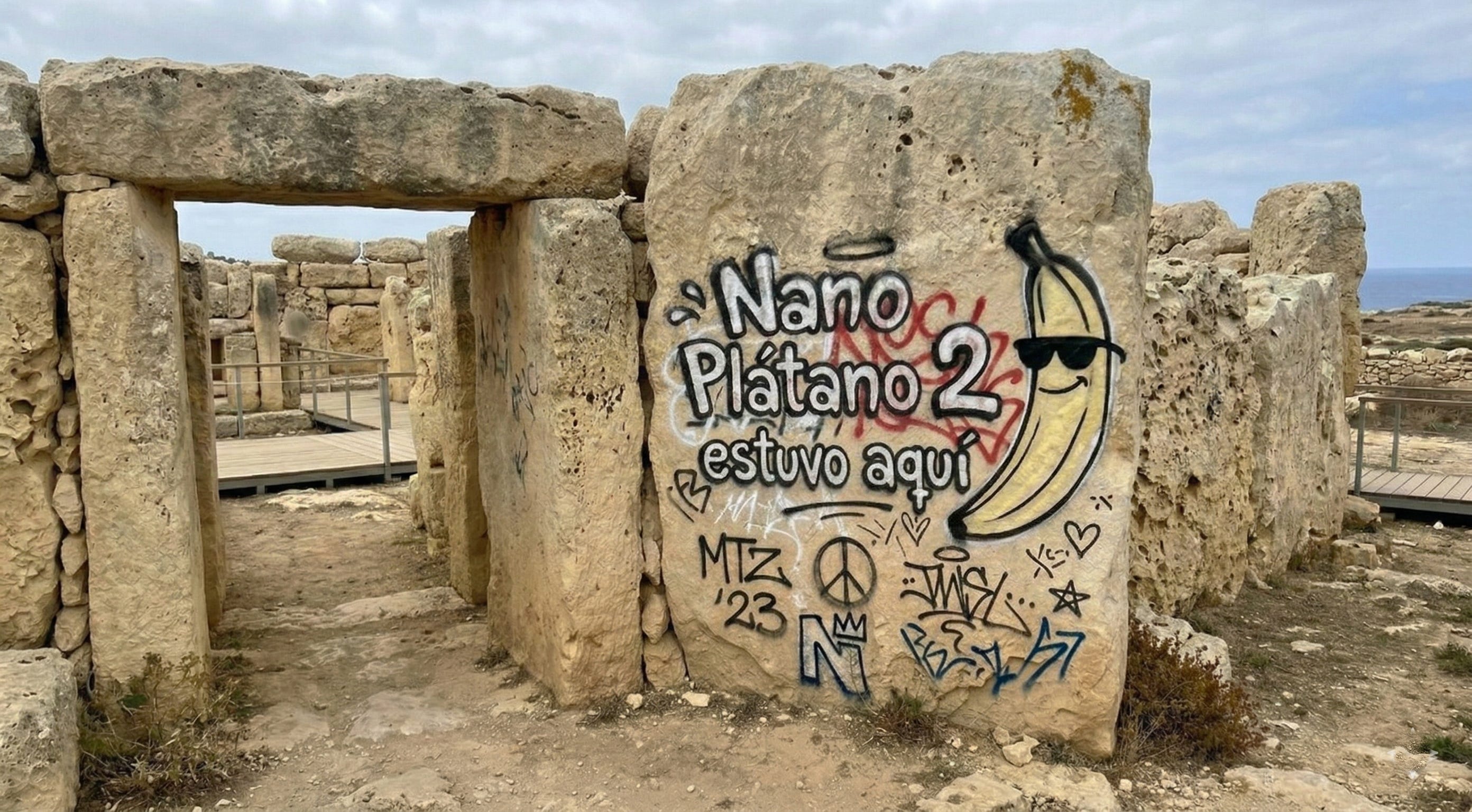
Nano Banana 2 allows you to generate accurate, legible text for marketing mockups or greeting cards. You can even translate and localize text within an image to share your ideas globally.
If you’re building infographics, Nano Banana 2 handles structured layouts and legible text far better than the original Nano Banana. If you’re creating marketing mockups, greeting cards, or localized assets, text rendering and translation inside images are significantly improved.
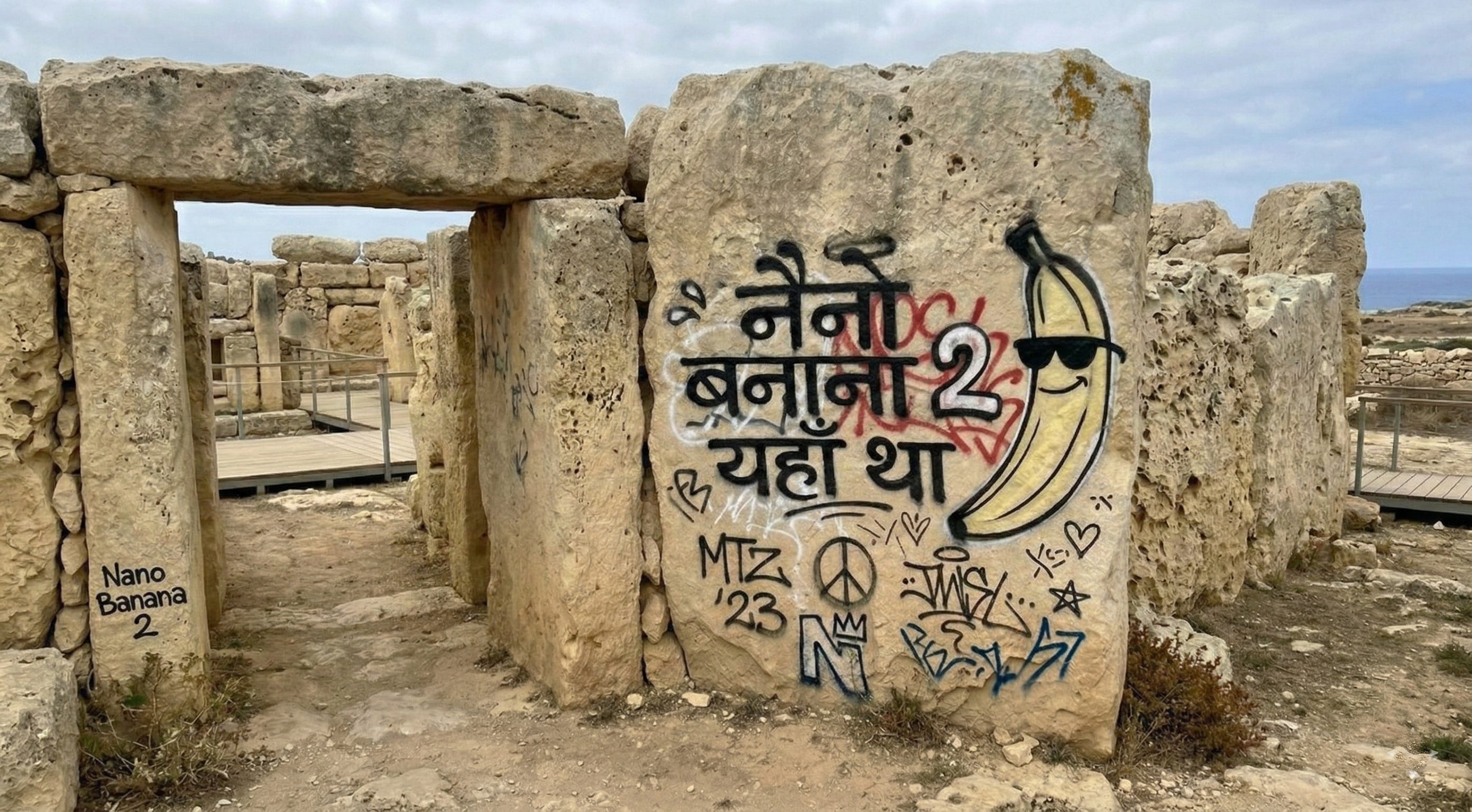
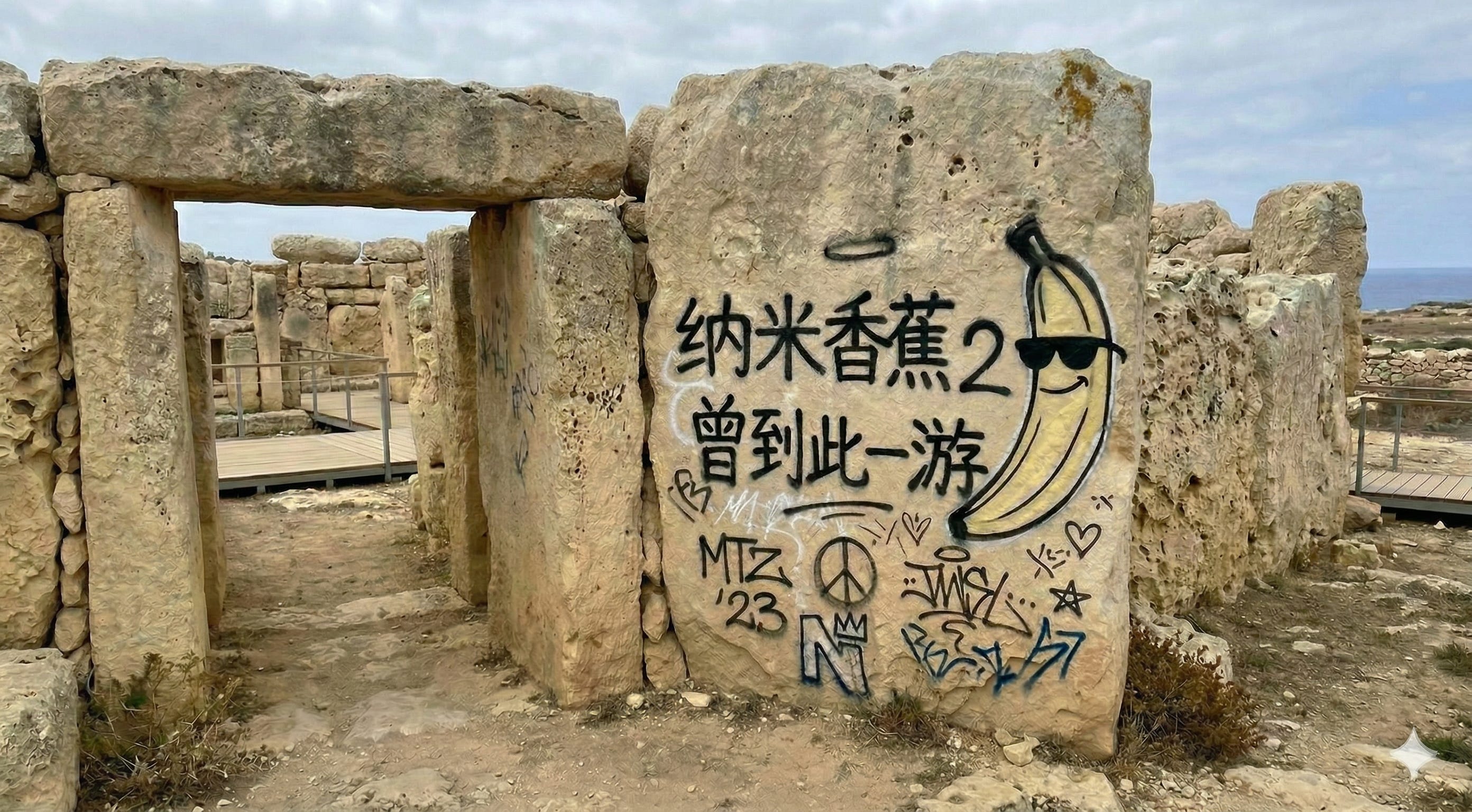
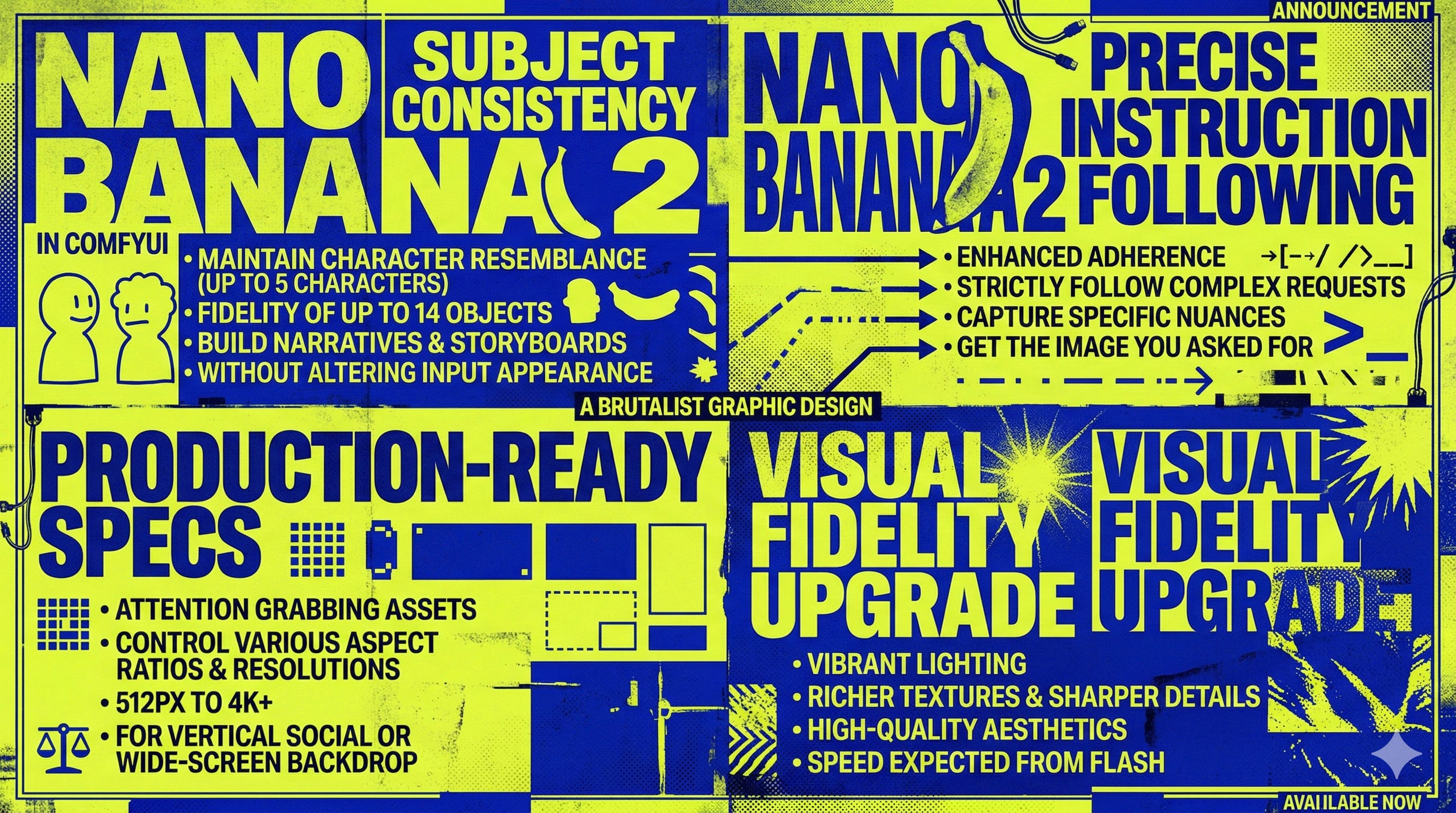
How to Use It in ComfyUI
Update ComfyUI, double-click the canvas to search for the “Nano Banana 2” node, or visit Comfy Cloud
Or go to the Template Library to use the ready-to-go workflow
Choose your resolution, set your aspect ratio, and decide whether the prompt needs deeper reasoning.
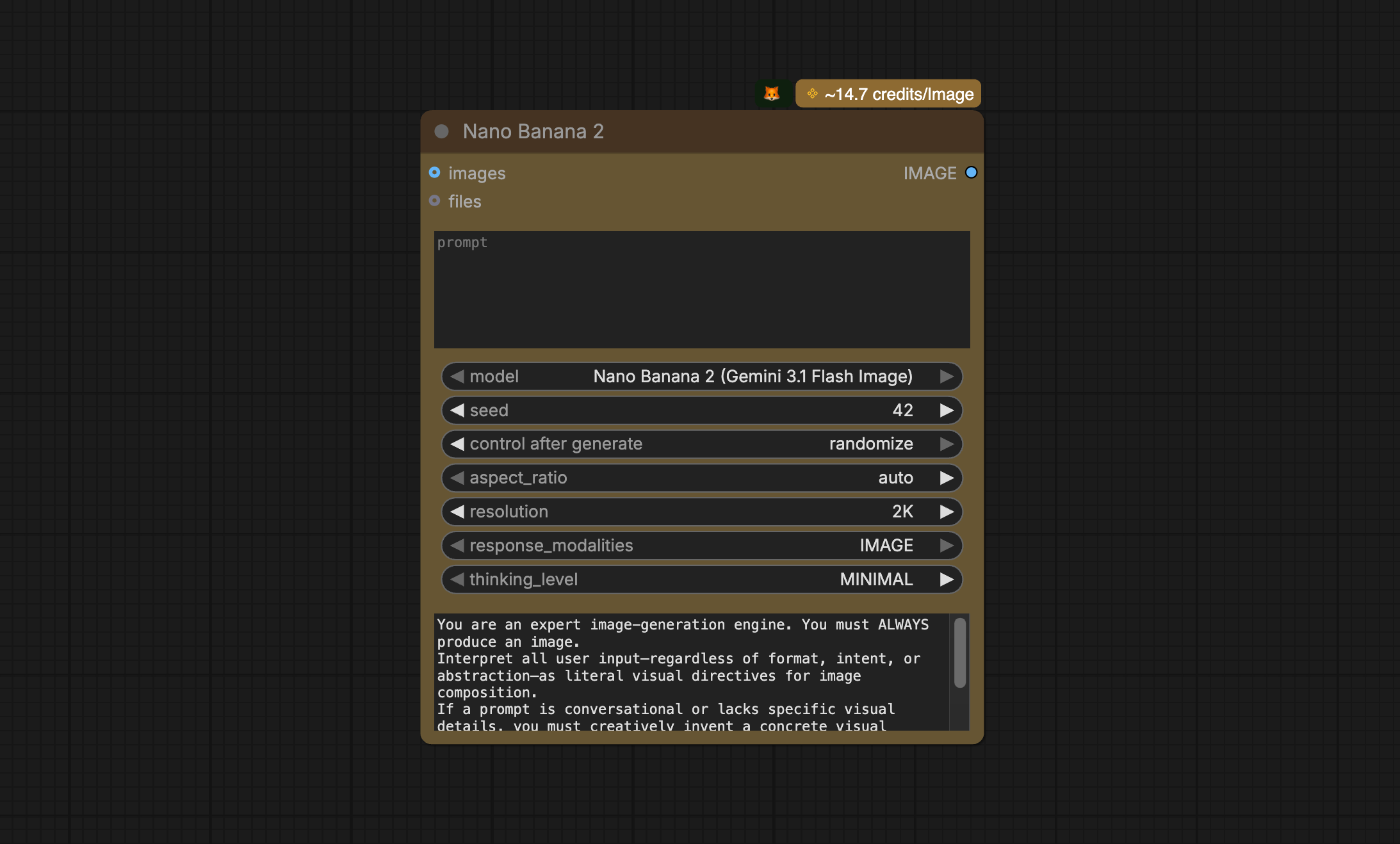
We’ve also added this new model version to the previous “Nano Banana Pro” node. So if you have old workflows with this node, you don’t need to rebuild them. Just simply reselect the model version.
Which Model Should You Pick?
Nano Banana Pro remains ideal for maximum factual precision and high-stakes edge cases.
But for most creators, Nano Banana 2 will likely become the new default: fast enough to explore, smart enough to refine, and polished enough to ship.
Comfyui is a bullshit stupid program from stupid people that don't understand nothing. You install some python
modules then comes another shitty guys with their nodes or workflow amd install other versions that are incompatible with another nodes workflow .A such you can never have fully working shitty Comfyui with all preferred nodes.This shit should be forbidden by law.
@Sulio Pulev
You're putting us on, right?