

We’re happy to introduce a new set of updates across ComfyUI, including improvements to the Template Library and support for new image and video models.
New Template Library
We now have template workflows designed for creative ideas and real tasks, not just model experiments. There is so much you can do in ComfyUI, and we want to showcase what’s possible gradually.
These workflows are also open-sourced and work in local ComfyUI. You can download them and drag them directly into your local setup.
We are working on better tags to clearly show information for required models and custom nodes for local users. And once we have it, we will publish these workflows to local ComfyUI as well!
It is just the beginning, and if there are workflows or models you think we should support or add to the Template Library, please let us know via support@comfy.org!
GPT-Image-1.5
A significant improvement from the previous GPT image model, now available via our “OpenAI GPT Image” node.
The GPT Image 1.5 offers precise image editing that preserves details, generates images up to 4x faster, follows instructions more reliably, and improves text rendering, while maintaining consistent lighting, composition, and appearance across edits.
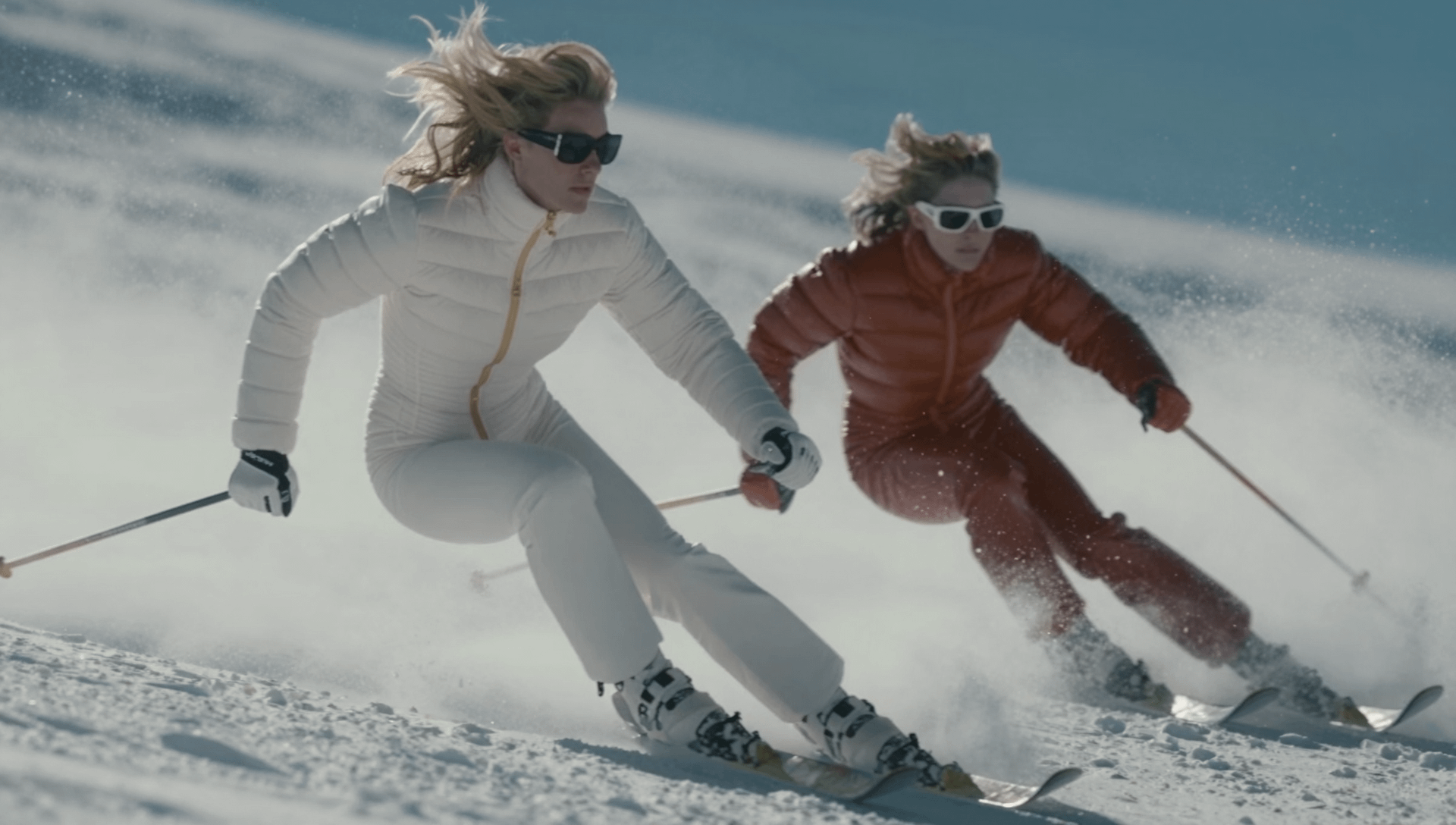
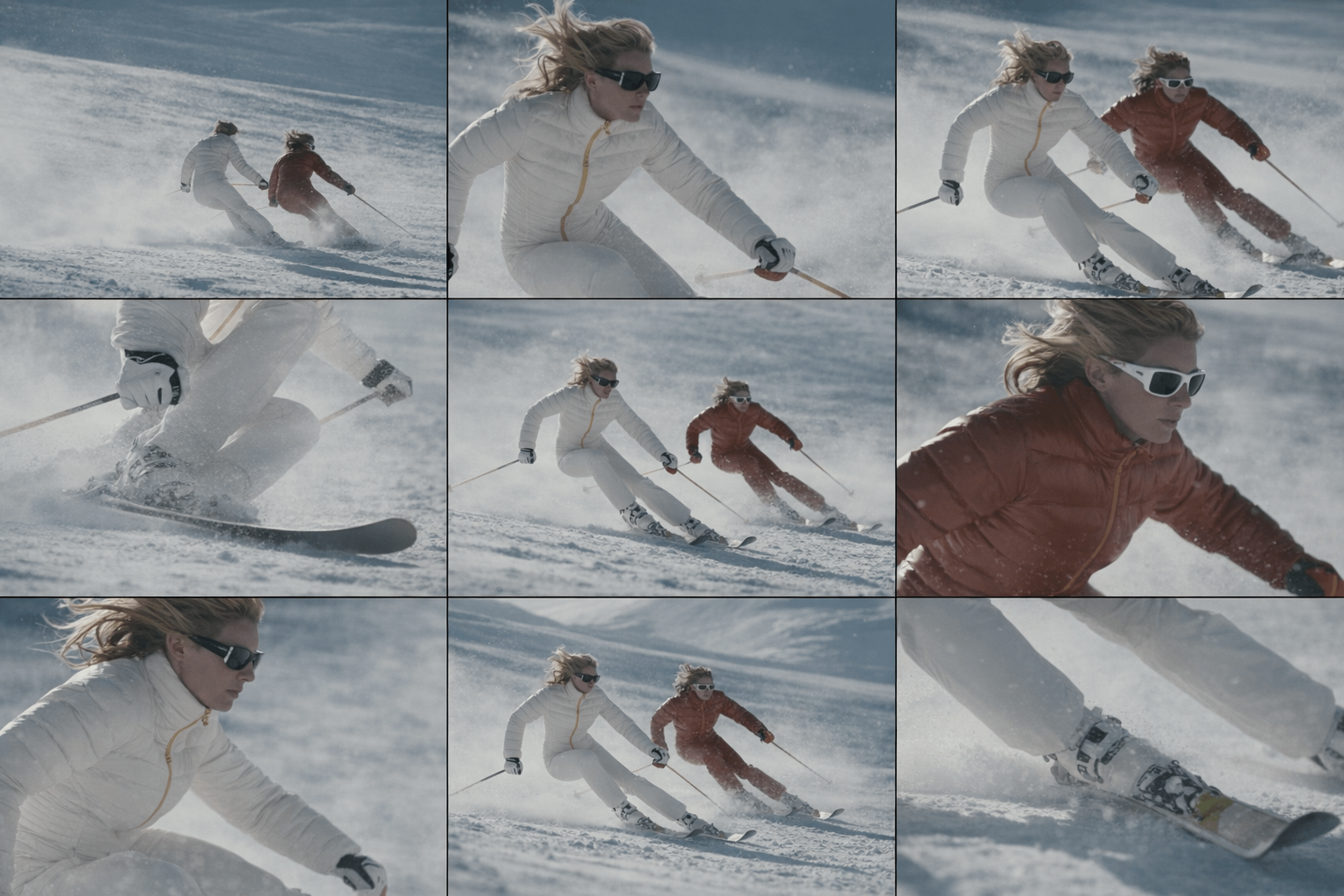
Generate a cohesive 3×3 cinematic contact sheet, as if selected from a single roll of film documenting one emotional moment from multiple viewpoints. No visible borders or margin between the grid images. Study the uploaded image carefully and fully internalize the scene: the subject’s appearance, clothing, posture, emotional state, and the surrounding environment. Treat this moment as a single frozen point in time. Set from multiple distances and angles, without changing anything about the subject or location. All images must clearly belong to the same scene, captured under the same lighting conditions, weather, and atmosphere. Nothing in the world changes — only the camera position and framing evolve. Across the sequence: Wider views should emphasize space and atmosphere Mid-range views should emphasize posture and emotional context Close views should isolate feeling and detail Perspective shifts (low and high angles) should feel purposeful and cinematic, not decorative Depth of field must behave naturally: distant views remain mostly sharp, while closer frames introduce shallow focus and gentle background separation. No text, symbols, signage, watermarks, numbers, or graphic elements may appear anywhere in the images.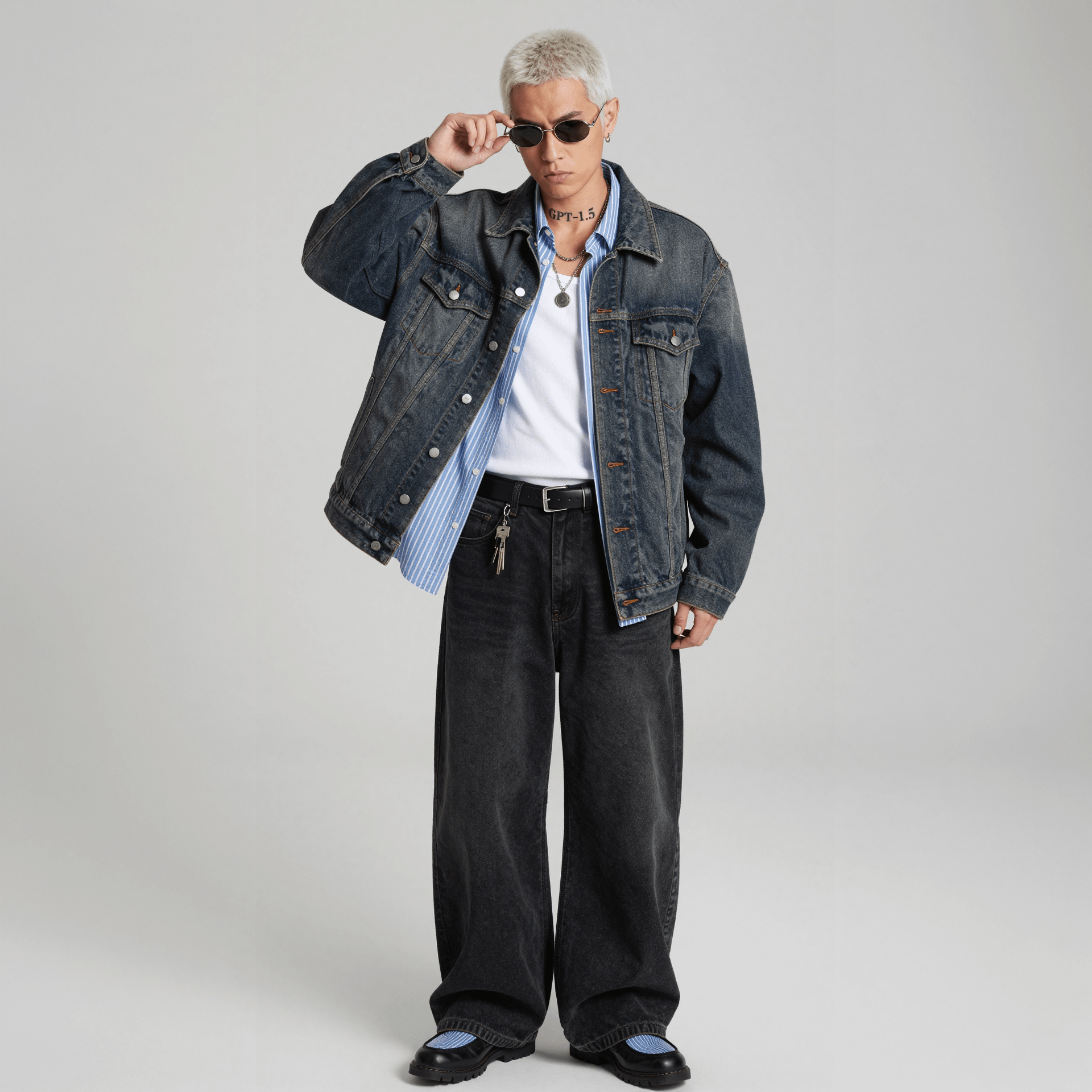
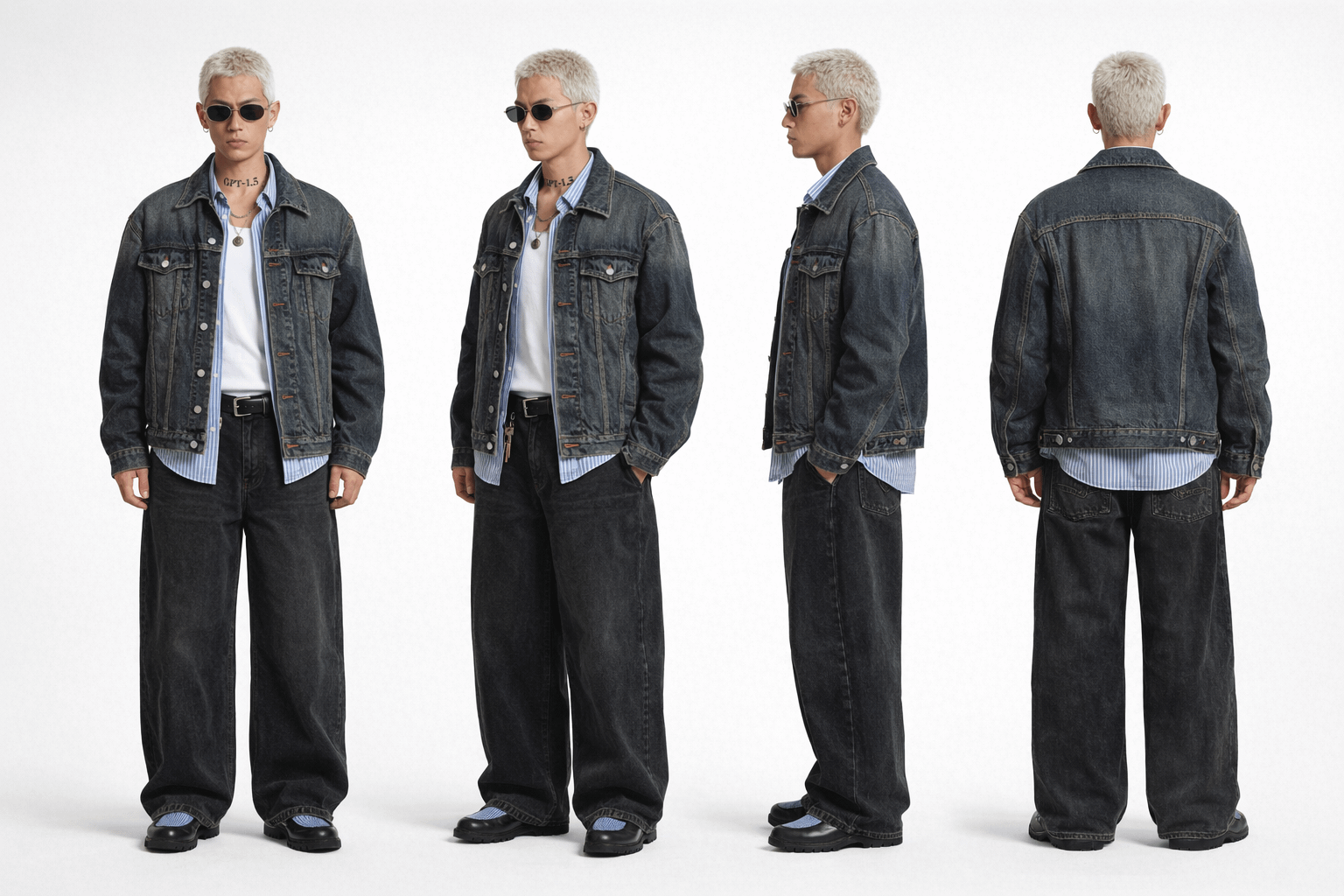
Create a detailed turnaround character sheet of the subject.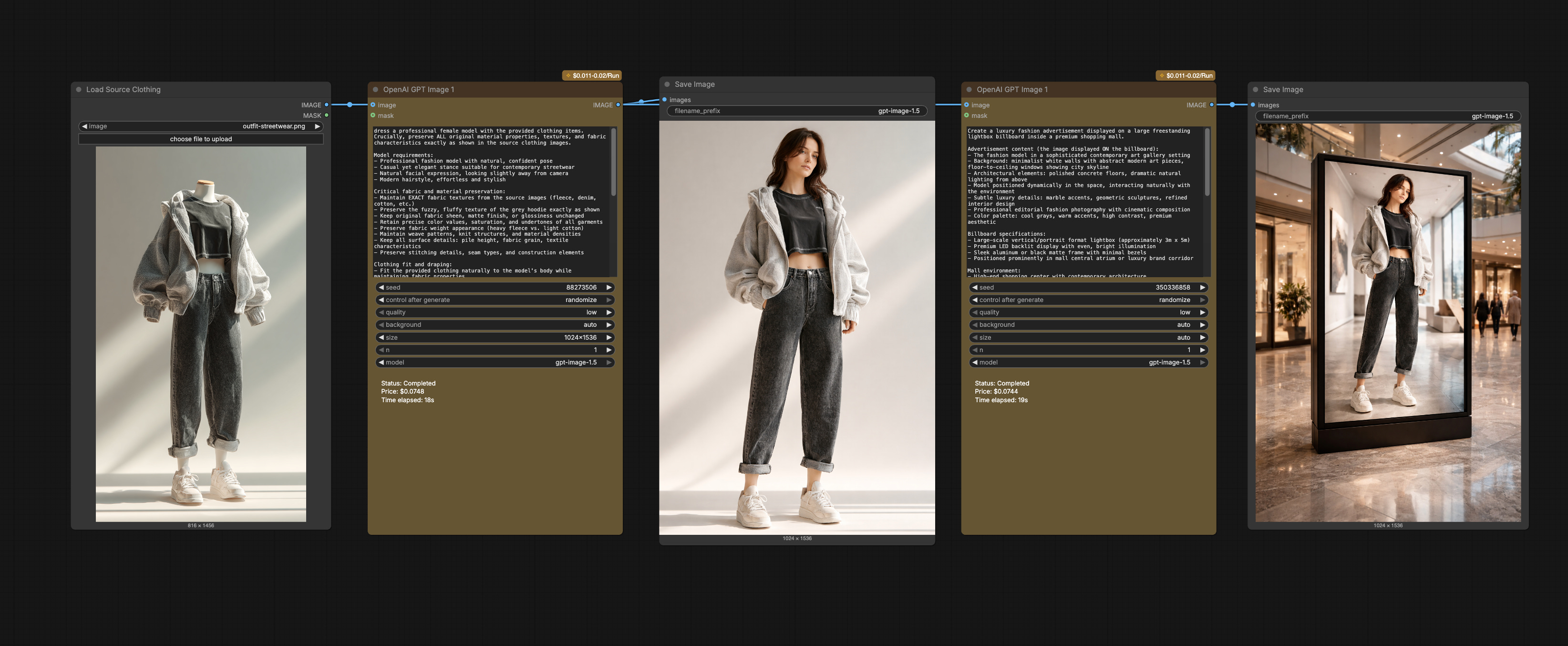
Kling 2.6
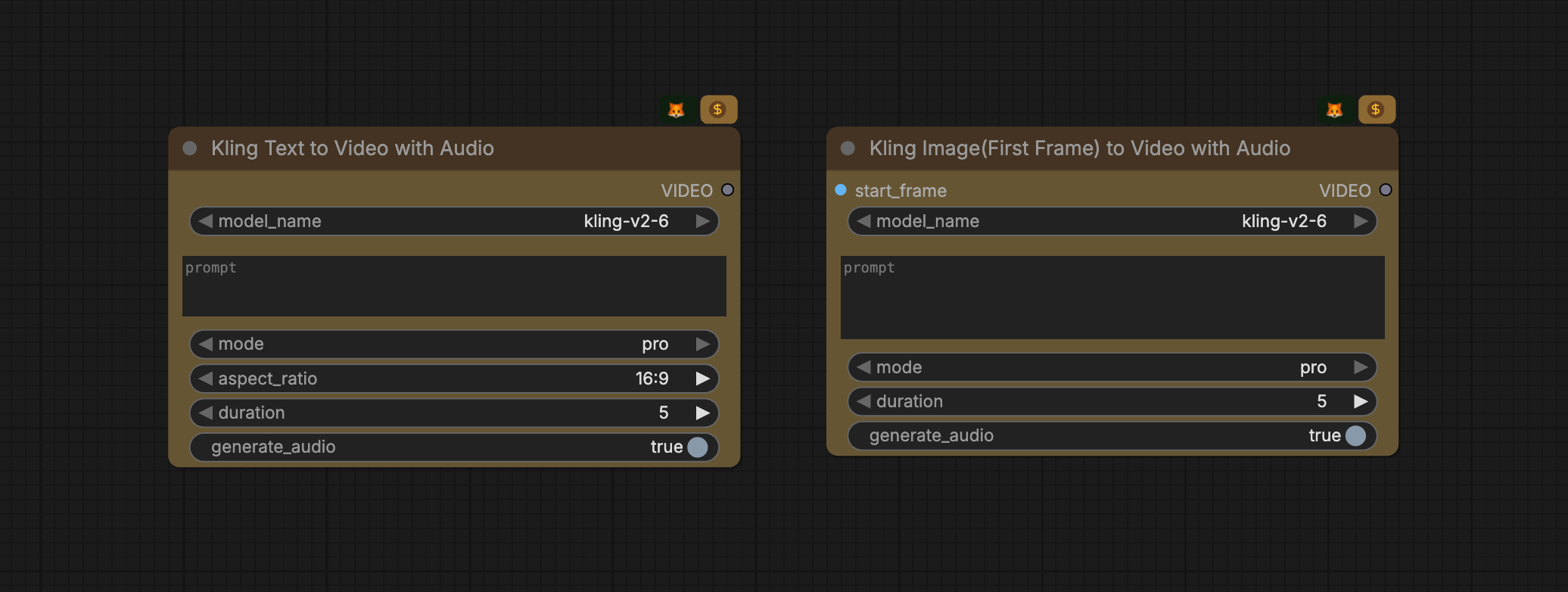
Kling 2.6 Model generates visuals with complete audio—natural voiceovers, matching sound effects, and ambient atmosphere—all in a single pass, bridging sound and visuals.
In ComfyUI, you can search for Kling Text to Video with Audio or Kling Image(First Frame) to Video with Audio. The rest of the Kling updates are on the way.
Wan 2.6
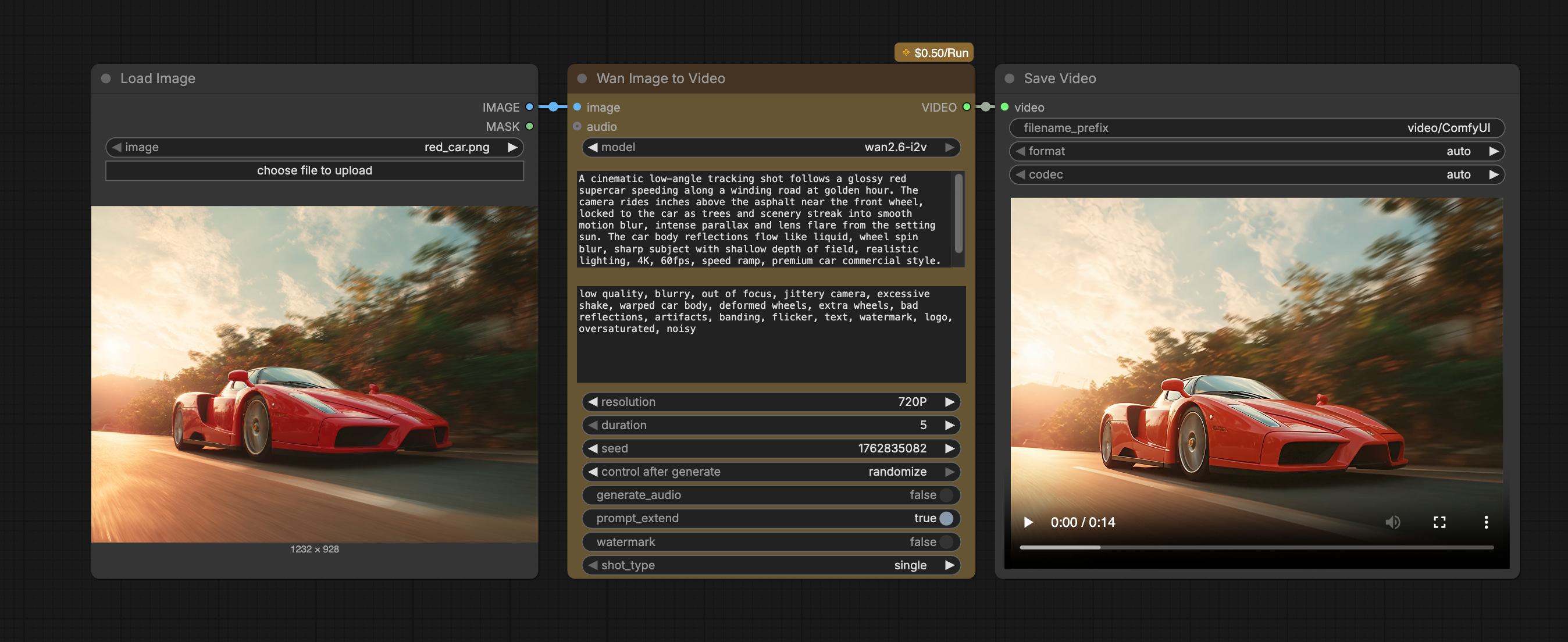
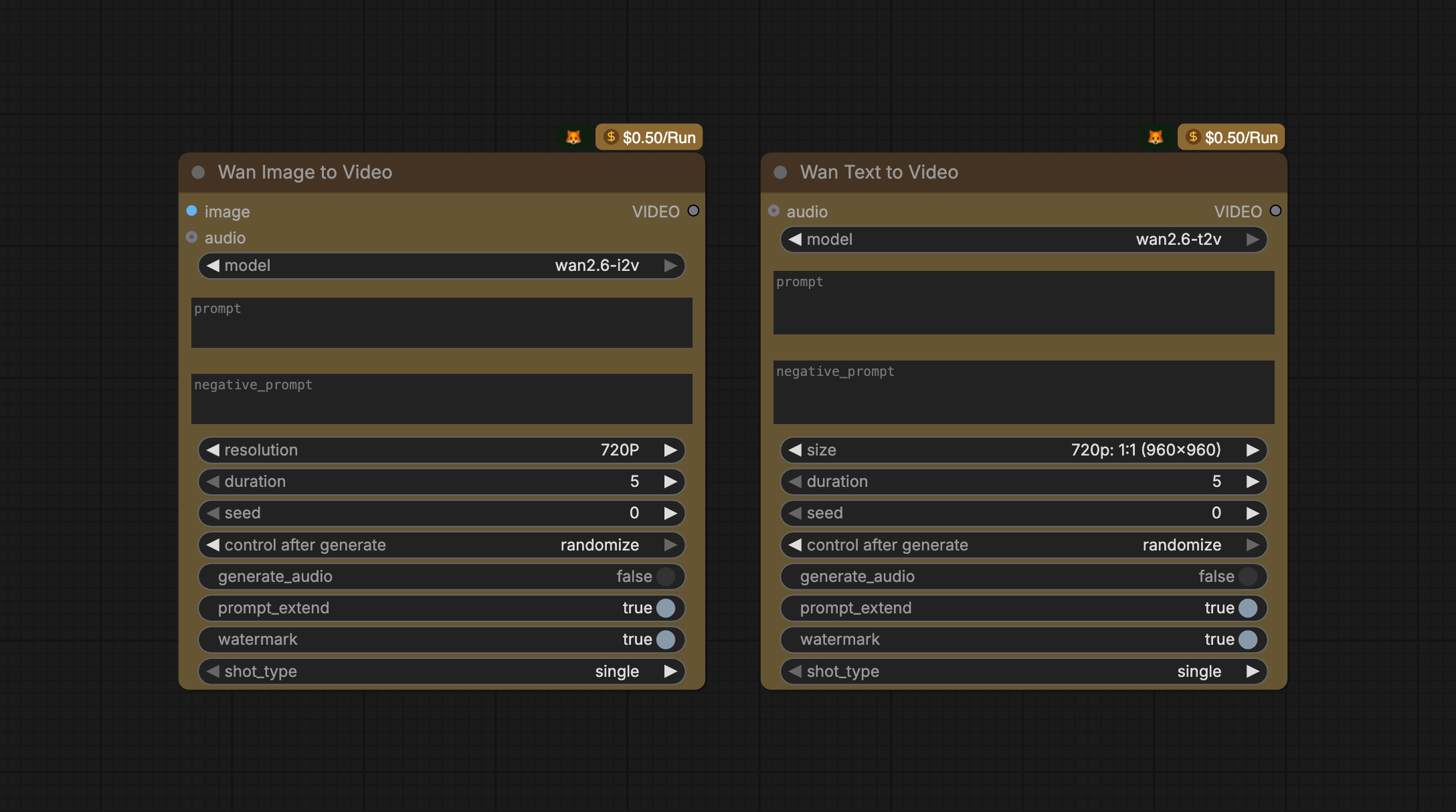
Wan 2.6 offers character starring, multi-shot storytelling videos with synced audio, cinematic image generation, and multi-image control for consistent, studio-quality visual narratives.
Example workflow:
As always, we appreciate the feedback from the ComfyUI community and will keep iterating! Enjoy creating!
Kling and Wan 2.6 are API nodes, right? They are commercial. You need to pay for it. I would find it fair if this would be mentioned in the blog articles.