

Seedance 2.0 broke the internet before most people could even access it. Video generations from the model have been circulating online, nearly indistinguishable from real camera work. Today, the model is now available inside ComfyUI. Seedance 2.0 turns text, images, video, and audio into high-quality video with synced audio, consistent characters, and cinematic camera control.
Today we are rolling out:
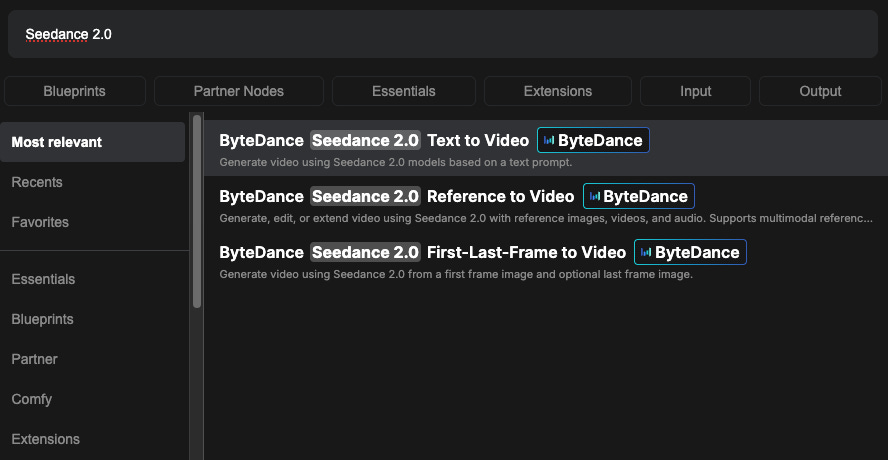
Seedance 2.0 Text to Video
Seedance 2.0 Reference to Video
Seedance 2.0 First–Last-Frame to Video
Note: Realism character reference is on the way. We’re opening early access soon. Please fill out the survey below to sign up and get notified when it launches.
Model Strengths
Seedance 2.0 has a lot going for it. The model covers everything from text generation and built-in professional camera movements to multi-shot narration and native synchronized audio. The official documentation breaks its core capabilities into three areas, each highlighting a different part of the production pipeline. All video examples below were generated by and sourced from the official Seedance 2.0 documentation.
Starting with what’s arguably the model’s biggest draw:
Multimodal Reference-Based Generation with Fine-Grained Feature Preservation
Add up to 9 reference images, 3 reference videos, and 3 reference audio files, and the model pulls from all of them to create a single coherent output. Object details, textures, visual styles, timbres, and character features carry through the entire generation.
Video References. Upload a clip and the model will replicate its camera movements, action choreography, editing rhythm, and visual effects.
Audio References. The model syncs visuals to music, dialogue, or sound effects at a phoneme level, with support for multiple languages and dialects.
Image References. Lock in character identity, product appearance, and stylistic consistency. Faces, clothing, and material textures stay stable across the full video.
Again: Realism character reference is on the way. We’re opening early access soon. Please fill out the survey below to sign up and get notified when it launches.
Precise, Targeted Video Editing
Edit existing video content directly without regenerating from scratch.
Subject Replacement. Swap characters in an existing clip while keeping the original motion, camera work, and composition intact.
Object-Level Editing. Add, remove, or change specific elements in a scene. The rest of the video stays untouched.
Inpainting. Reconstruct regions of existing video with context-aware generation that maintains temporal coherence and visual consistency.
Seamless Video Extension with Temporal Coherence
Turn short clips into longer sequences with natural continuity.
Video Extension. Extend any clip forward in time. Character appearance, lighting, and motion blend smoothly with the existing footage.
Preceding Scene Generation. Generate footage that leads into an existing clip, effectively extending video backward to build narrative context.
Interpolation Completion. Bridge gaps between two separate clips with generated intermediate footage that respects the visual and temporal logic of both endpoints.
Get Started
Update ComfyUI to the latest version, or access Comfy Cloud.
Find the Seedance 2.0 node in the Node Library, or load the Seedance 2.0 template from Templates.
Drop the node on your canvas and start creating.
Enjoy creating!