

We’re excited to announce that Seedream 5.0 lite is now available via Partner Nodes in ComfyUI!
Seedream 5.0 lite is the latest image generation model from BytePlus. It is the first in the Seedream family to bring in web-connected retrieval, which means the model can draw on live online information when generating images. The result is visuals that stay current and relevant without extra effort from the user. Reasoning and comprehension have also been upgraded across the board, with improvements in world knowledge coverage, reference consistency, instruction following, and overall performance in professional creative workflows.
What’s New in Seedream 5.0 lite?
This is the first Seedream model to have Web-Connected Retrieval. The model pulls from live web data during generation. This allows for creations to be tied to real-world trends, current events, and up-to-date knowledge without any manual research on the user’s side.
Smarter Instruction Following
The model handles complex, multi-step instructional prompts far more reliably than its predecessors. Multi-image inputs, local editing instructions, and batch style requests all land closer to the intended output on the first try.
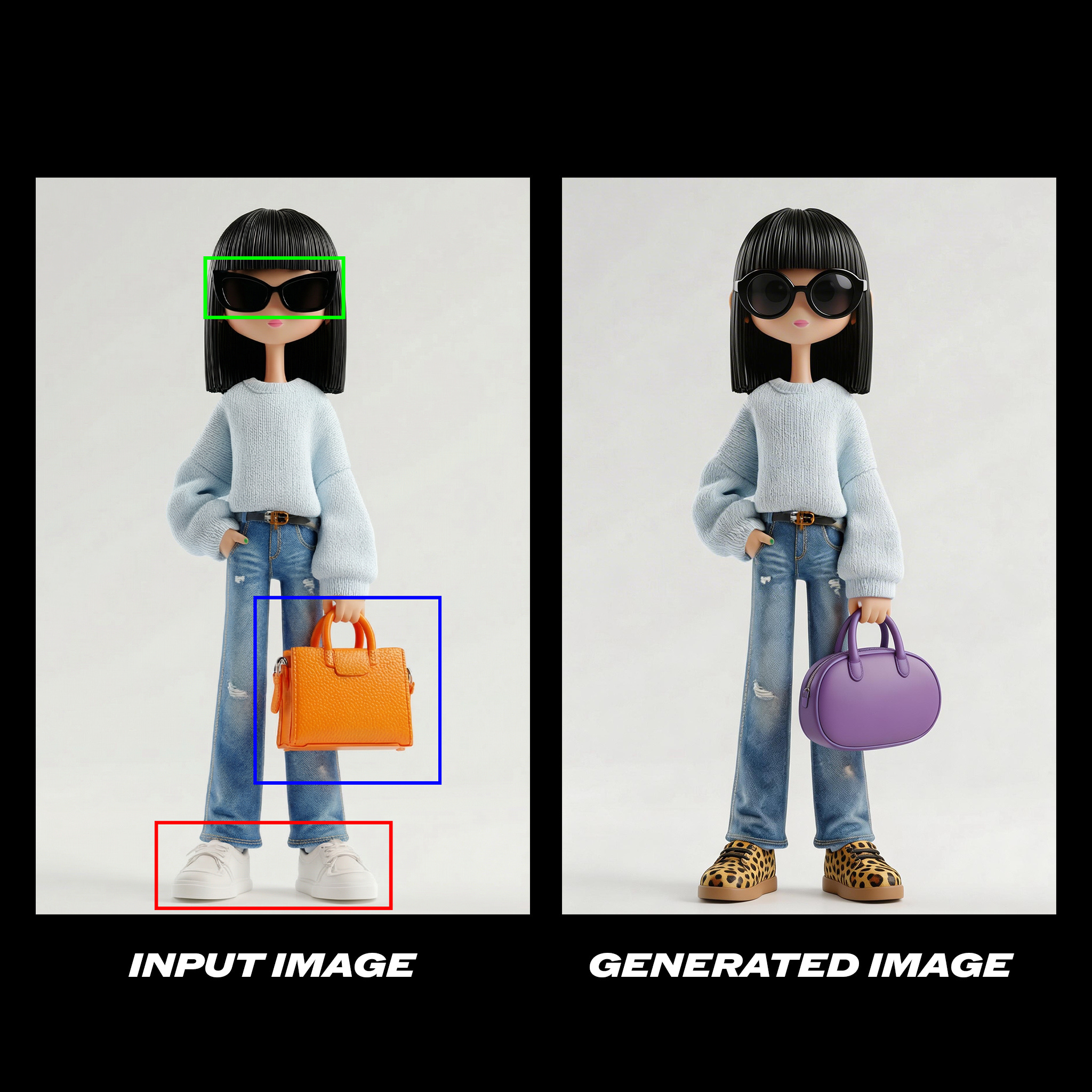
Change the glasses in the green box to circular lenses, the orange purse in the blue box to a purple oval purse, and her shoes in the red box are patterned with leopard print.
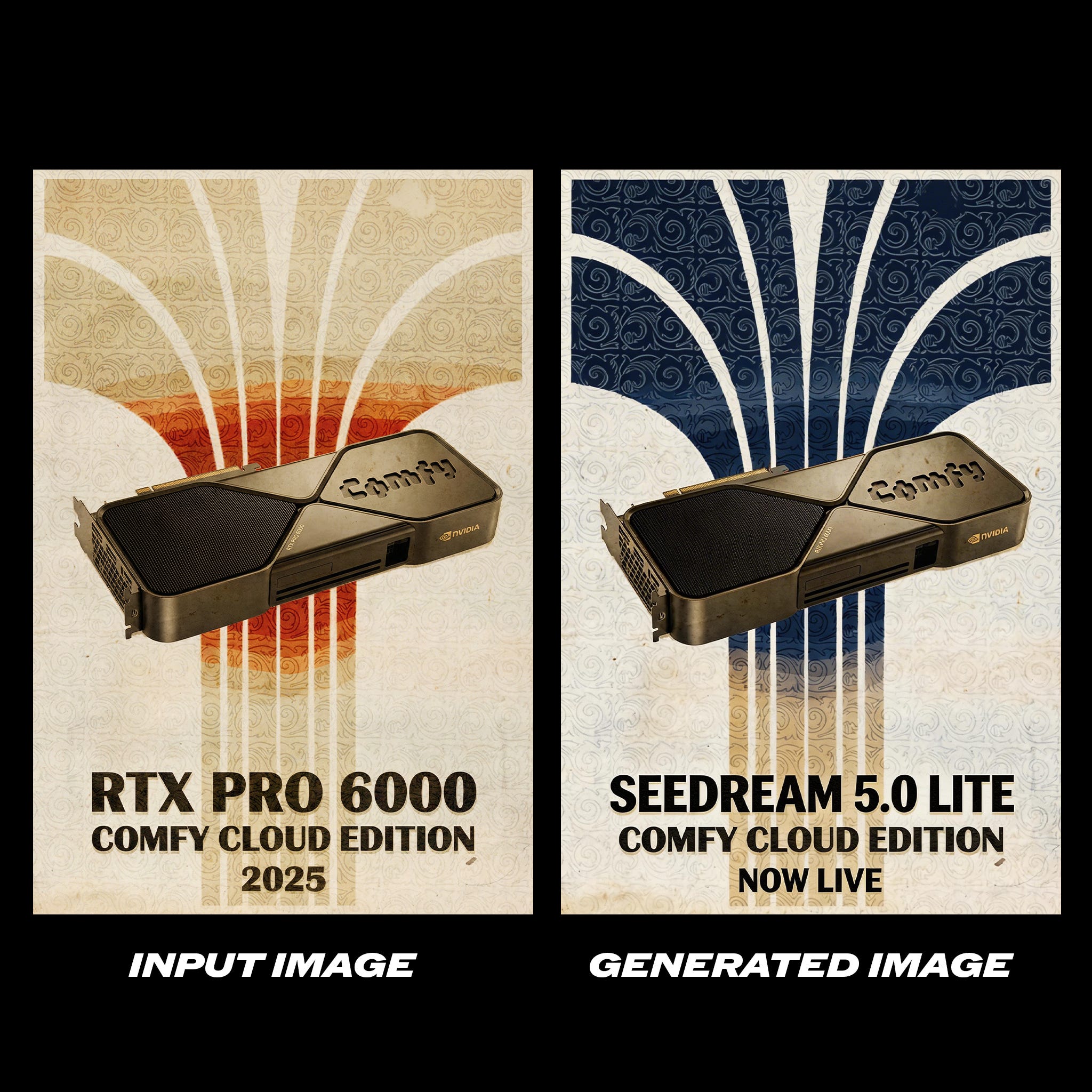
While maintaining the original composition, change the overall color tone to navy and white colors. Change "RTX PRO 6000" to "SEEDREAM 5.0 LITE" in the image, and change "2025" to "NOW LIVE".
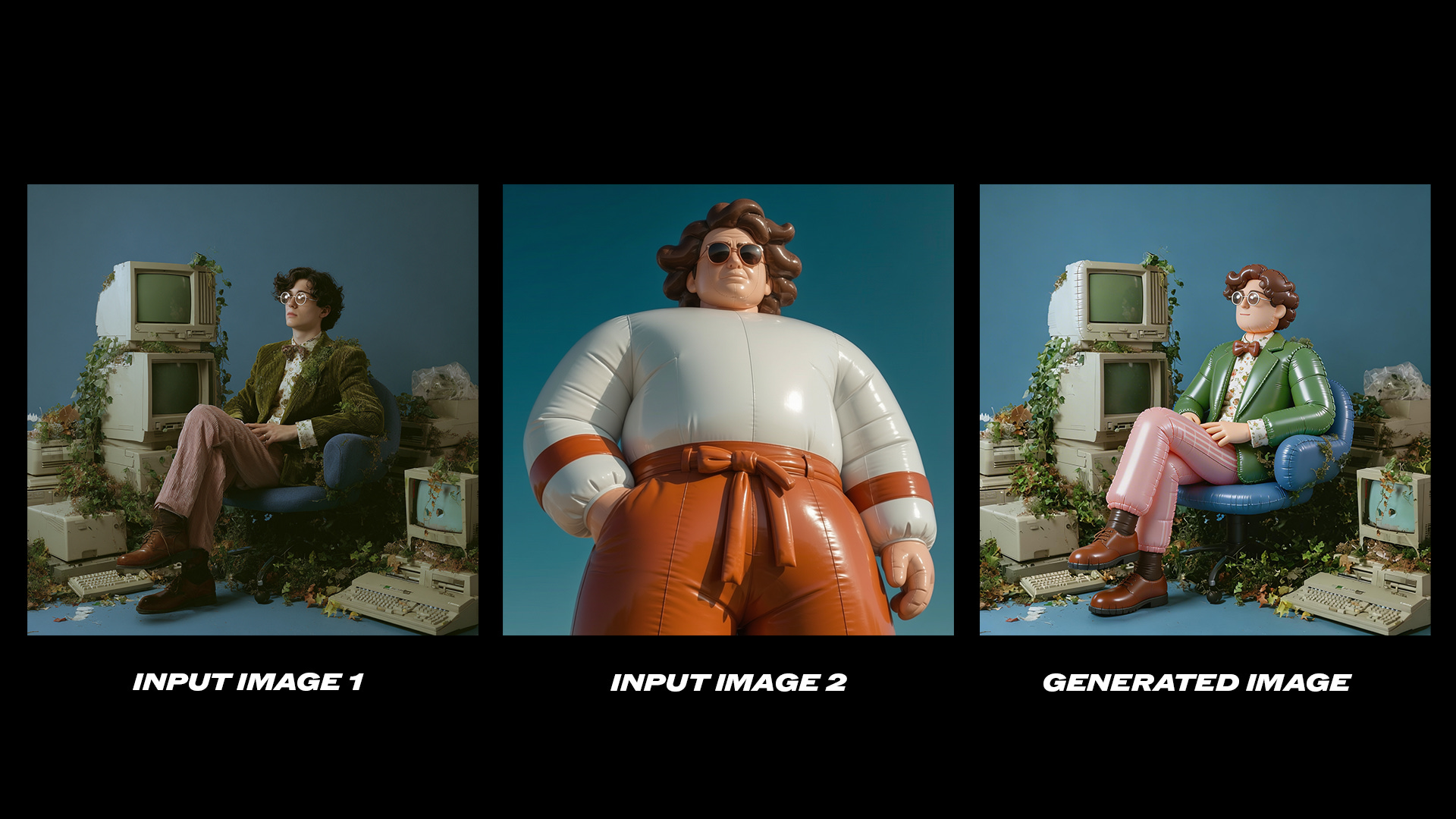
Refer to the second image and change the style of the first picture to match that of the second image.
Stronger Consistency
Character identity, product appearance, style, and lighting all hold up much better across a set of generated images. Whether you are preserving a product across multiple scenes or maintaining a consistent visual style across a campaign, the outputs are noticeably more stable.
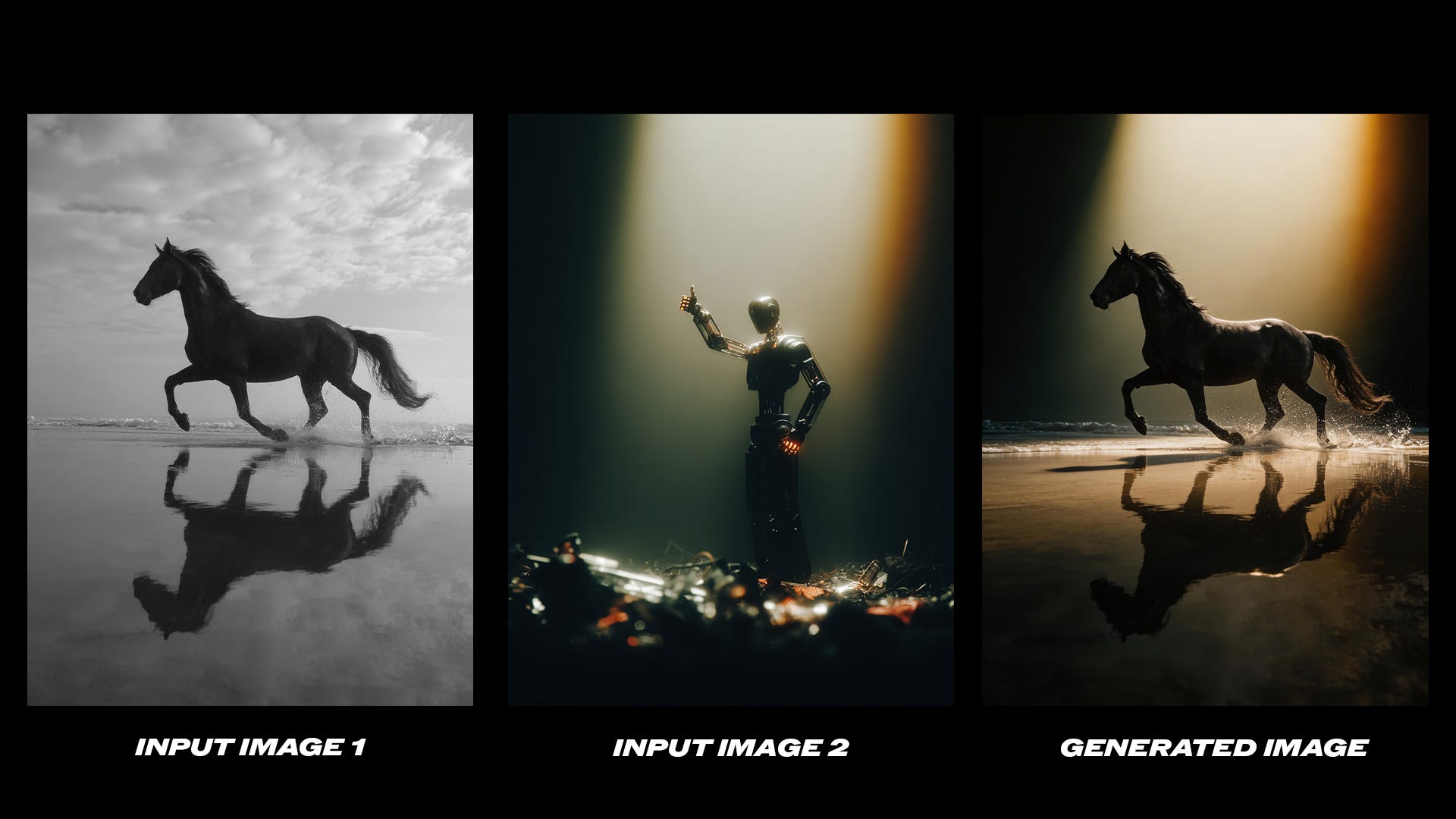
Refer to the design and layout style of Figure 2 and adapt the style of Figure 1 accordingly.
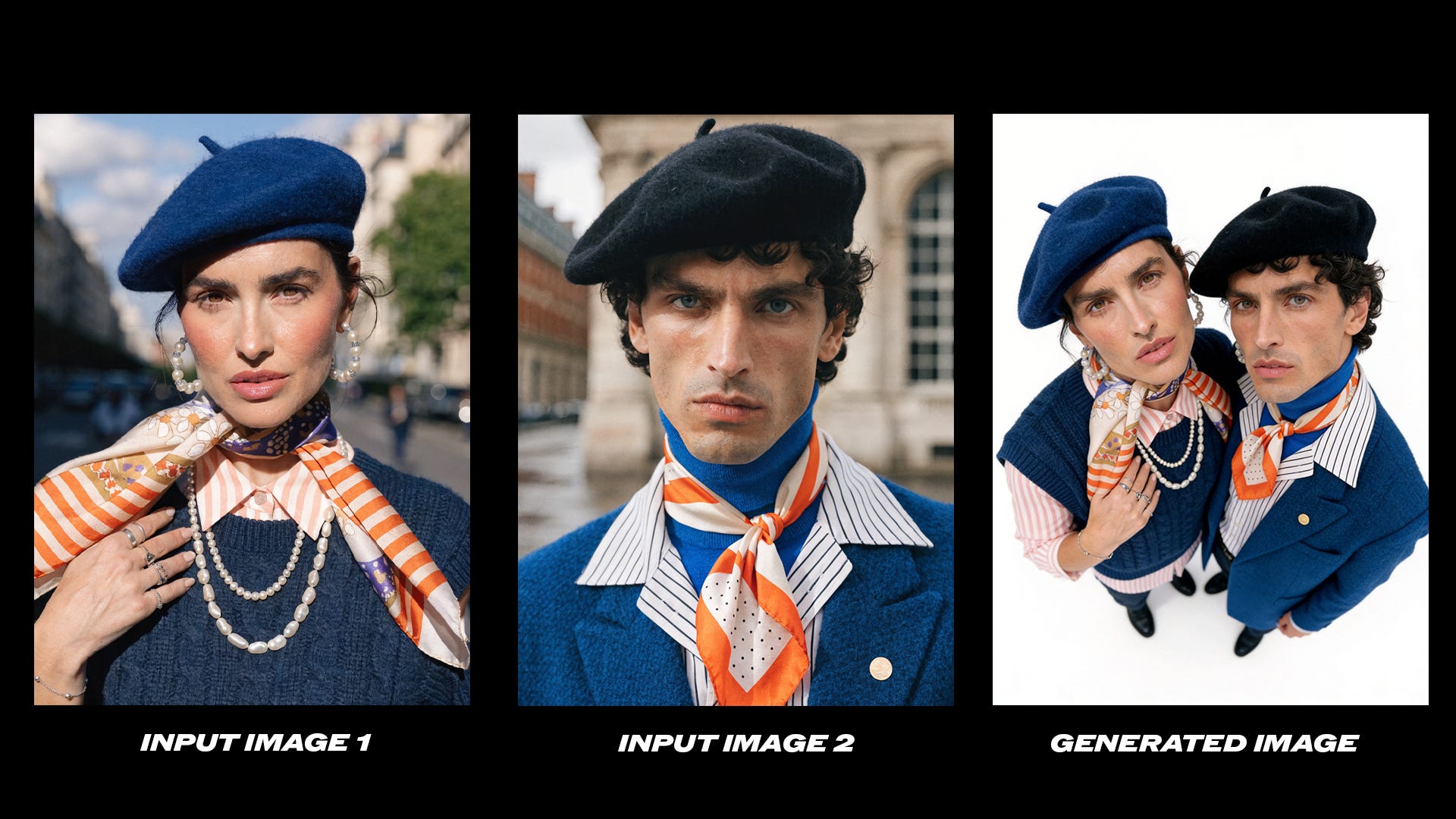
Merge Figure 1 and Figure 2 into a high-angle top-down selfie of two people, compact composition with them close together, heads slightly tilted up to the camera. Left keeps Figure 1's look, right retains Figure 2's look and facial similarity with slightly inward body. Figure 1's height reaches Figure 2's waist, pure white background, phone front camera
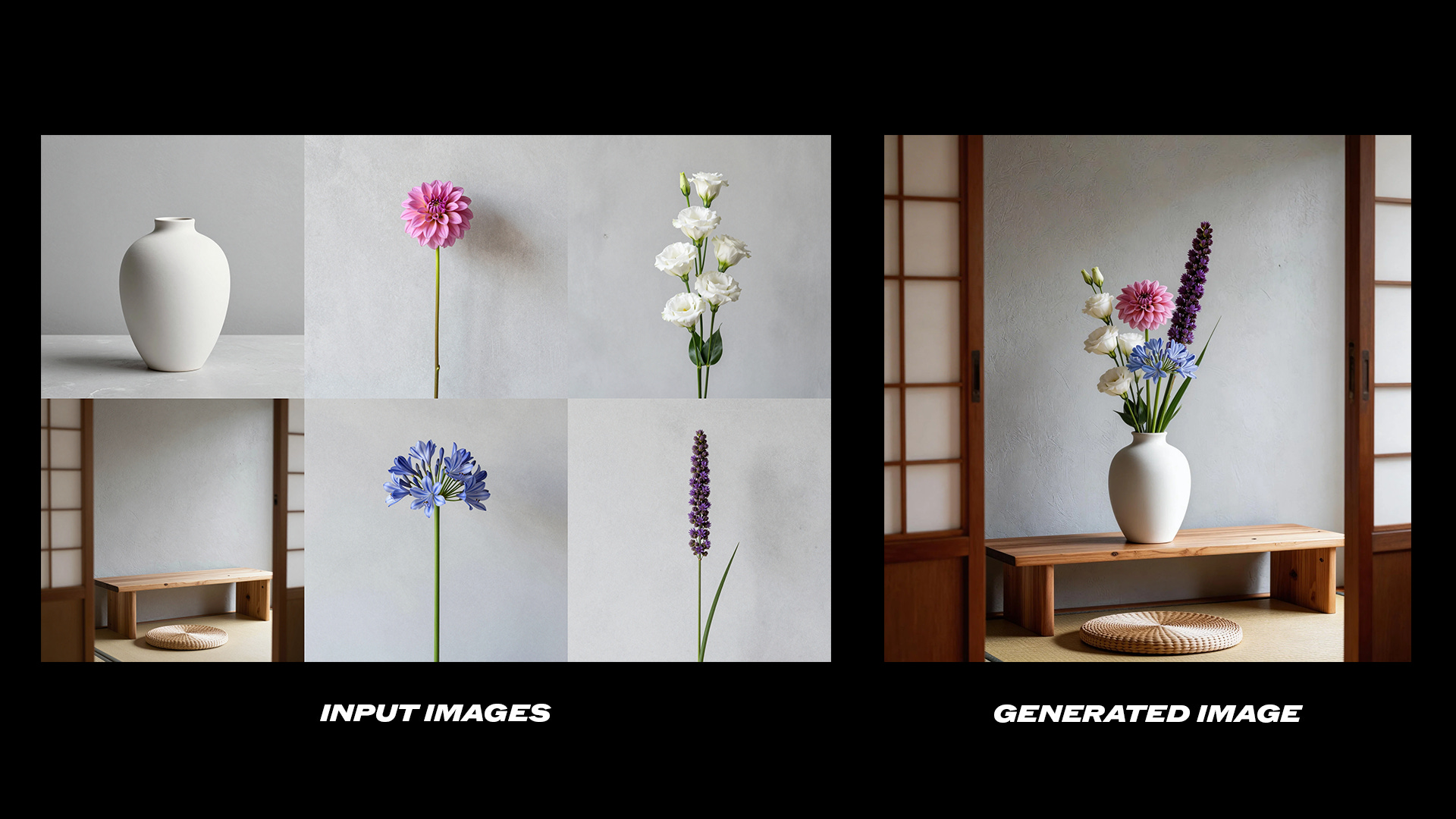
Use the flowers shown in Figure 1‑4 for flower arrangement. There is no limit to the number of flowers; you may add other foliage for matching. Arrange all the flowers in the vase shown in Figure 5, then place the vase on the table shown in Figure 6.

Using the bottle from the reference image, generate six product photos in different seasonal settings. Consistent bottle design across all six.
First: clean white studio background, minimal, soft shadow. Second: winter, snow-dusted stone, pine branches, star anise, cool blue tones. Third: spring rainforest, mossy stone, ferns, wildflowers, dewdrop on a leaf, lush green. Fourth: summer, sandstone surface, sliced lemons, oranges, rosemary, warm golden sunlight, Mediterranean feel. Fifth: cherry blossom season, pink petals falling, soft pink bokeh, mossy stone, dreamy romantic light. Sixth: autumn, fallen maple leaves, cinnamon sticks, dried figs, warm amber afternoon light.
Editorial product photography, shallow depth of field, luxury fragrance aesthetic.
Deeper World Knowledge
The expanded knowledge base makes the model genuinely useful for technical illustration, educational diagrams, and knowledge-heavy creative work. Things that previously required a lot of prompt tuning now come out well with a straightforward description.
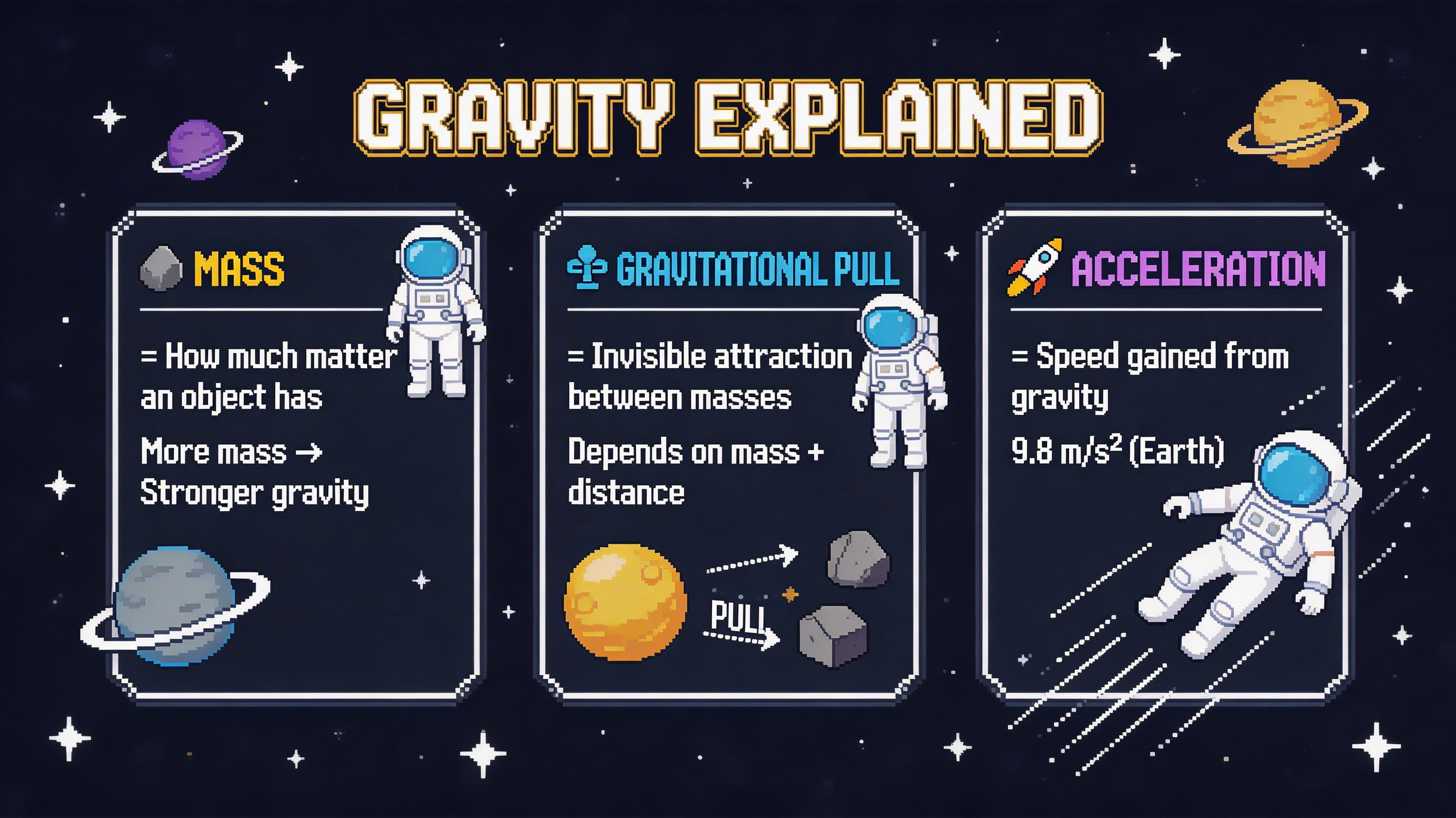
Pixel art infographic for explaining gravity, rendered in crisp 16-bit style with a dark navy/charcoal background and bold cinematic palette tones — deep cosmic purple, electric blue, molten gold, and stark white; key info displayed in pixelated rectangular dialogue boxes and 8-bit speech bubbles linked by dotted pixel arrows and dashed lines; matched with proportioned pixel sprite figure wearing an astronaut suit and doodle icons (pixel stars, 8-bit falling objects, tiny pixel planets and orbit rings); chunky pixel font with clean spacing, concise captions explaining gravitational pull, mass, and acceleration, with generous breathing room between each concept panel.
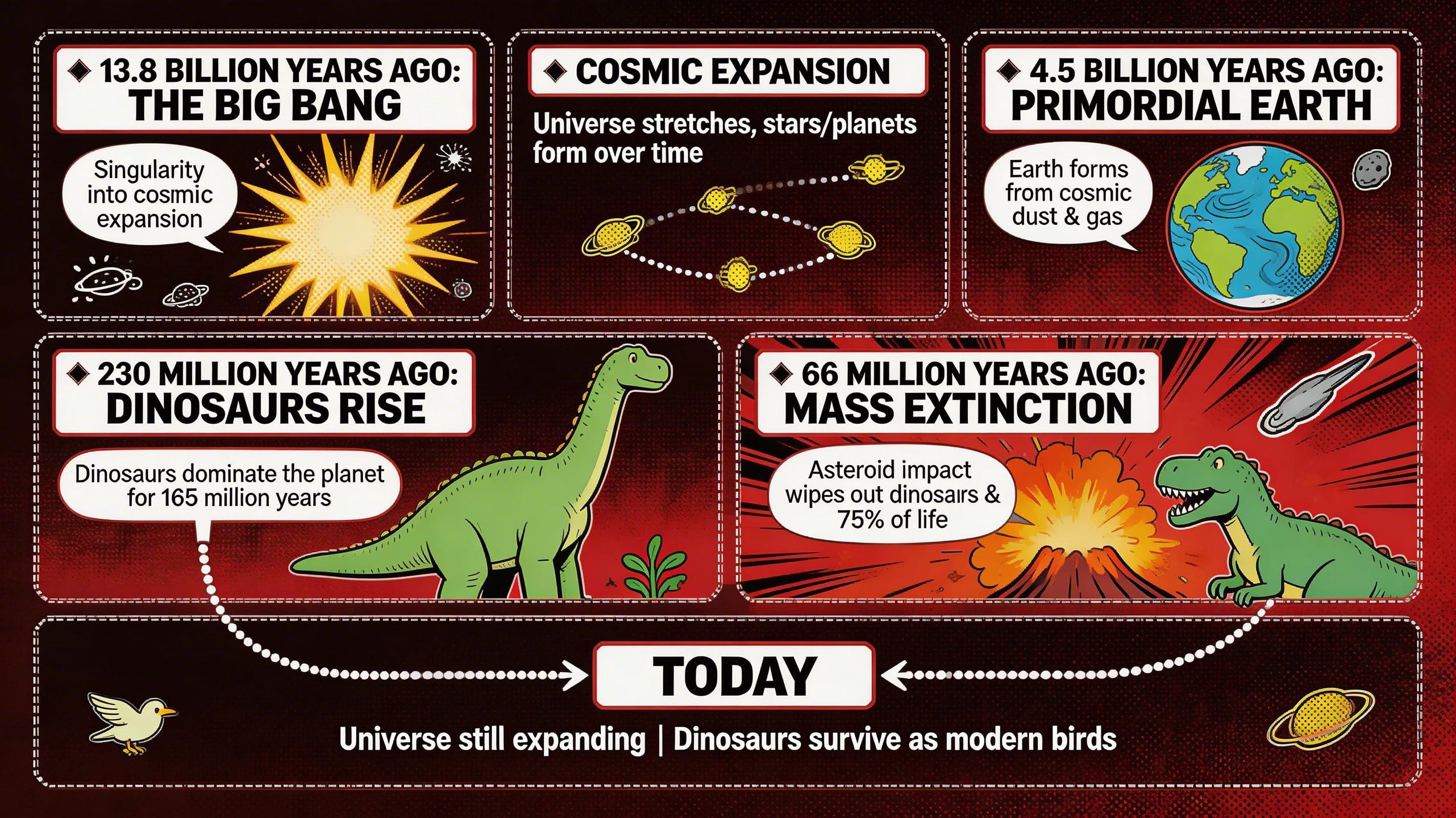
Comic book style infographic for explaining the Big Bang and the age of dinosaurs, with a deep crimson and ink-black background and bold comic palette tones — volcanic orange, prehistoric green, cosmic yellow, and stark white; key info displayed in rectangular dialogue boxes and speech bubbles linked by dotted arrows and dashed panel borders; matched with proportioned comic-style dinosaur illustrations (T-Rex, Brachiosaurus) and doodle icons (asteroids, explosion bursts, tiny galaxies and primordial Earth); chunky comic font with clean spacing, concise captions explaining the singularity, cosmic expansion, and mass extinction event, with bold halftone dot textures and action lines radiating between each concept panel.
Get Started
Update ComfyUI to the latest (0.15.0) or visit Comfy Cloud
Go to Template Library, search for
Seedream 5.0 lite
No words about the limits? I see this more as a demo.