

TLDR - Recraft for style reference generation. NanoBanana Pro for restyling existing images while maintaining likeness. Grok image edit and Seedream 5.0-lite when using a style reference. For niche styles, train a LoRA: image-edit LoRAs on Qwen Image Edit or Flux Klein 9b for transformations, image-gen LoRAs on Flux or Z-Image for generating new content in a defined style.
Style transfer is one of the most common techniques used across AI image generation workflows, and the tooling has matured significantly since the days of IP-Adapter. From the rise of many image-editing models, to models built specifically for style transfer, to custom LoRAs.
Today, creators have multiple reliable approaches for applying specific visual styles to their work, each suited to different use cases and levels of specificity. Although there are many options, it is clear that using well-defined styles can elevate your generations and create a cohesive visual language for your images. This article walks through what’s available now, how to think about the different approaches, and when to use each one.
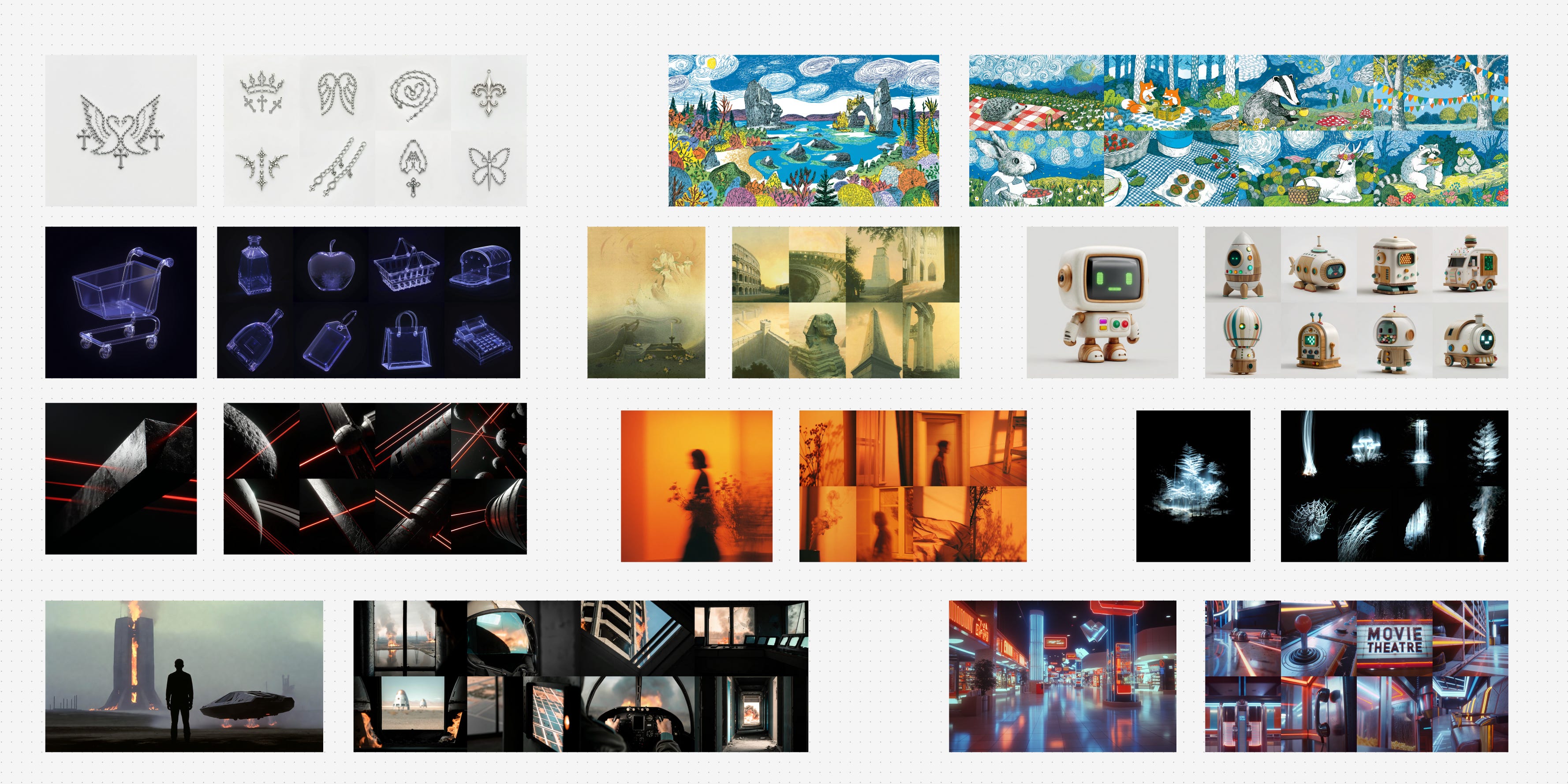
Well-defined reference styles help to create consistent and distinct images
Why Style Transfer Matters
On-brand content at scale: Maintaining a consistent visual identity across dozens or hundreds of assets requires more than describing a style in a prompt and hoping for consistency.
Accurate reproduction of unique styles: Clients, studios, and creators often need to match a specific look. Not just “watercolor” but a particular artist’s or brand’s interpretation of it.
More control than token stuffing: Describing a style with text prompts can get you in the ballpark, but stacking aesthetic descriptors only gets so far. Style transfer techniques give you precision that prompting alone cannot.
Repeatability: Once a style is captured, whether through a reference image or a trained LoRA, it can be applied reliably across generations.
Key Concepts
A LoRA (Low-Rank Adaptation) is a lightweight model fine-tune that teaches a base model new concepts. In this case, a specific visual style without retraining the entire model.
Style transfer can take several paths depending on what you’re starting with and what you need out of it.
If you’re working with an image-generation model, style lives in the prompt. Without a LoRA, you’re relying on styles the base model already knows from its training data. Generic aesthetics like watercolor, cel shading, or film noir will typically exist in base models but niche or proprietary styles won’t. With a LoRA trained on a specific style, you can activate it with a trigger word in your prompt and the model generates natively in that style. It’s all text-based either way, no input image involved.
If you’re working with an image-edit model, you have more flexibility. Without a LoRA, you can go two directions: provide a style reference image alongside a prompt describing what to generate, and the model creates something new in that style. Or provide an input image with a text prompt describing the style you want applied, and the model transforms it. With a LoRA, it becomes image-to-image: you feed in the image to be transformed with a simple instruction prompt like “Change the image into realcomic style,” and the LoRA handles the rest.
With that framework in mind, let’s look at what’s available today, starting with models you can use right out of the box.
Models Built for Style Transfer
Style transfer is such a core need that some labs have built models specifically around it. Recraft is a standout. Designed with style reference as a primary capability, it accepts 1-5 style reference images and generates new content that faithfully follows the visual language of those references, and is particularly strong with abstract and artistic styles.
For a long time, Midjourney has been the go-to for creators who care about stylistic range and aesthetic quality. Recraft competes directly in that space, offering comparable range while giving creators more explicit control to integrate into existing workflows.
Check out the examples below and try it out the Recraft workflow here.
API models like Recraft give you a lot of power out of the box, but when you need more control or want to work with a style that no existing model covers, the next step is understanding which type of model to build on.
Image Edit vs. Image Gen: Understanding the Difference
This distinction shapes every decision downstream in your style transfer workflow.
Image-edit models accept an input image and work with it. They can transform it into a new style, or use it as a style reference for a new generation. Image-gen models generate from a blank canvas, with style controlled through text prompts and LoRA models. We’ll showcase a few of each in the examples that follow.
They solve different problems. If you have existing images you want to restyle then image-edit models are your path. If you need to create new content natively in a specific style, image-gen models with the right LoRA give you that freedom without being tethered to a source image.
Once you know which type of model fits your use case, the question becomes: what do you do when the style you need isn't something the model already knows? That's where custom LoRAs come in.
Image-Edit Models in Practice
Before reaching for a LoRA, image-edit models can handle a lot of general style transfer on their own through prompting alone.
The first approach is direct image transformation. You provide the image you want restyled and prompt for the style you want. The model takes your input and applies the transformation. This is the more intuitive path when you already have content and just need it in a different aesthetic.
Prompt: Change the style to anime, maintain identity.
This works well for general style transfers, but as you can see, each model interprets the generic style ‘anime’ quite differently and may not be the best if you have a specific style of anime in mind.
The second approach is using a style reference. You provide a style reference image and describe what you want in the prompt.
Prompt: A serene gondola in the Venice canals that follow the same style and colour palette as image 1, generate a completely unique image, do not reuse any from the input image.
This approach tends to be more hit or miss as it is heavily dependent on the input images style. Nano Banana Pro, Grok Image Edit and Seedream 5.0-lite typically perform well for this approach, especially with more detailed prompting and multiple generations.
Play around and this workflow to test multiple styles transfers with one click!
LoRAs for Style Transfer
When a style is too niche or specific for a model to know from its training data, custom LoRAs become the answer. But not all style LoRAs work the same way, and the distinction mirrors the image-edit vs. image-gen divide.
Image-edit LoRAs are trained on before/after pairs. Each example in the dataset shows an image in its original form alongside the same image transformed into the target style. Open-source contributors have curated these kinds of paired datasets for models like Qwen Image Edit, producing LoRAs such as infl8, make wojak, 3d animation, and realcomic. Once trained, you apply the style with a trigger word in an instruction prompt, and the model reliably transforms input images into that style. The power here is control. Because the training data defines the exact transformation, the output is predictable and faithful.
The tradeoff is dataset creation. Building before/after pairs isn’t particularly intuitive. If you have a collection of images in a style you love, you still need to source or create the “unstyled” counterparts to pair them with. Contributors in the community have found ways to curate these datasets, but it’s a less obvious starting point than simply collecting style examples.
Image-gen LoRAs are much simpler in their creation. Your dataset is just a collection of images in the target style, no pairs needed. The model learns what the style looks like and can then generate anything in that style from a prompt and trigger word. You’re not transforming an existing image; you’re creating new compositions, scenes, and subjects that natively live in that style.
Prompt: {trigger word}, a side profile composition of a human cyborg with a black bobcut and a high black neckline turtleneck and black jeans, with a sky as the background, and the visual focus concentrated on the vegetation and the model walking through it.
Style Training Your Own LoRAs
If the style you need doesn’t exist as a LoRA yet, training your own is more accessible than you might think. Several tools and services support LoRA training today, each with different levels of ease and control.
For the fastest path, Fal.ai offers training endpoints for models like Z-Image, Flux Klein, and Qwen Image Edit. It’s the most hands-off option and a good place to start. For those who want more control over the training process, AI Toolkit can be run on RunPod or locally.
One practical note on model selection: Flux Klein at 9B parameters hits a sweet spot for LoRA training. It’s fast to train and learns well from reasonably sized datasets, making it a good default choice if you’re getting started.
There is a lot of nuance when it comes to training a high quality LoRA. Expect to do multiple training runs, test thoroughly, and invest in a high quality dataset. The dataset quality alone can make or break your results.
The style transfer landscape offers more options than ever. Whether you need an out-of-the-box solution like Recraft, the flexibility of image-edit models, or the precision of a custom trained LoRA, the right approach depends on your style, your content, and how much control you need.
Really helpful information. Thank you.
Wow! All the style info is right here. THANK YOU Rob. I'm saving this for reference.